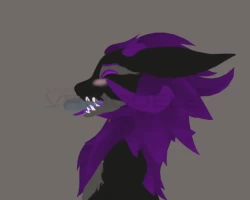


Wickerbeast SPS Setup
To download the model, you need to log in.
Description
This unitypackage is a convenient way to set up SPS on a Wickerbeast avatar ultra fast with active/depth animations assigned to each socket for extra immersiveness.
Included Sockets
Mouth (Depth)
Mouth DPS
Lower (Depth)
LowerBack (Depth)
Hands (Left, Right, Double)
Chest
Thighs
Butt (Proximity)
Feet (Left, Right, Double)
Requirements
VRCFury
Poiyomi is OPTIONAL. (Read Testing Lollies section)
Steps to install:
Drag the SPS Prefab into the root of your avatar
You can customize the SPS menu location using VRCFury's Move Menu script.
Have fun~
Testing Lollies:
The testing lollies appear in SPS/Lollie by default. These depend on Poiyomi, if you do not wish to include Poiyomi, set them as standard shader (nasty looking), or unpack the prefab and delete them.
Warning, the depth animations only work with SPS Plugs. Non-depth based animations included for the mouth
Included Sockets
Mouth (Depth)
Mouth DPS
Lower (Depth)
LowerBack (Depth)
Hands (Left, Right, Double)
Chest
Thighs
Butt (Proximity)
Feet (Left, Right, Double)
Requirements
VRCFury
Poiyomi is OPTIONAL. (Read Testing Lollies section)
Steps to install:
Drag the SPS Prefab into the root of your avatar
You can customize the SPS menu location using VRCFury's Move Menu script.
Have fun~
Testing Lollies:
The testing lollies appear in SPS/Lollie by default. These depend on Poiyomi, if you do not wish to include Poiyomi, set them as standard shader (nasty looking), or unpack the prefab and delete them.
Warning, the depth animations only work with SPS Plugs. Non-depth based animations included for the mouth
