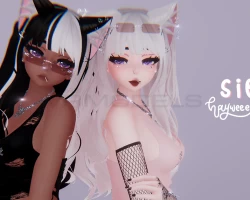


Sierra
To download the model, you need to log in.
Description
How to use this package and upload to VRChat.
1. Open Unity 2019.4.31f1
2. Import VRChat Avatar SDK (3.0).
3. Import a Shader you want to use, Poi is recommended
4. Import Dynamic Bones.
5. Import The Avatar Package.
Avatar Special Features
- Toggles: Glasses, Glasses Position, Lollipop, Ears, Pigtails, Tank Top, Tank Top Gems, Pants, Bodysuit, Thong, Locomotion
- Material Swaps: 9 Tank Tops, 7 Pants, 6 Bodysuits, 7 Shoes
- Eye Hue Shift, Springjoint that swaps between hands & Marker
- Dark, Tan, White Prefabs & Scene Included
1. Open Unity 2019.4.31f1
2. Import VRChat Avatar SDK (3.0).
3. Import a Shader you want to use, Poi is recommended
4. Import Dynamic Bones.
5. Import The Avatar Package.
Avatar Special Features
- Toggles: Glasses, Glasses Position, Lollipop, Ears, Pigtails, Tank Top, Tank Top Gems, Pants, Bodysuit, Thong, Locomotion
- Material Swaps: 9 Tank Tops, 7 Pants, 6 Bodysuits, 7 Shoes
- Eye Hue Shift, Springjoint that swaps between hands & Marker
- Dark, Tan, White Prefabs & Scene Included
