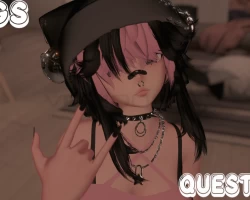
Home » Avatars » Bugs!

Model info

Content type:Avatars
Сreated by: Sour Bugz
SDK: 3.0 (VRChat)
Platform: PC + Quest
Рhysbones: Yes
Face Tracking: No
Full body: Yes
Nsfw: Yes
DРS \ SPS : No
Views: 47 928
Bugs!

To download the model, you need to log in.

Description


Toggles:

Sprout
Elf Ears
Dress
Outfit
Band-Aids
NSFW

Bones:
Sprout, Ears, Hair, Boobie , And Ass
Screenshots of model Bugs! in the game
Comments: 20
Add comment

Information

To add your comment you need to log in.

  • foto
    Sad_Day #20
    +1
    To get both the quest and pc version to pop up, once you import the package and it says "blah blah blah ignore or fix/reload", hit reload and they pop up. If youve already hit ignore then you go under Assets> KRT> QuestAvatars> update personal;> then drag the avi up under sample scene and direct light (by doing this youll ONLY get the quest version).
    2 April 2023 12:56
  • foto
    Free_Avis #19
    +1
    If you post cannibal by SourBugz I will literally suck ur cock promise
    20 February 2023 20:27
  • foto
    pinkowll #18
    0
    IDregI,
    it has both models in one package
    28 January 2023 16:29
  • foto
    pinkowll #17
    0
    EkoSnow_,
    thank you I appreciate you being so helpful ! !
    27 January 2023 22:34
  • foto
    christopher ty risen #16
    0
    How do i get v 2022.07.26.21.45 EkoSnow_, and Skyscrapers224,
    25 January 2023 21:22
  • foto
    Ginger25 (user blocked for violating site rules) #15
    EkoSnow_,
    do u have a link or is it on the vrc website
    23 January 2023 01:51
  • foto
    base #14
    +1
    For anyone looking into this avatar IT DOES WORK, please make a new unity project and use the 2022.07.26.21.45 vrc sdk instead of a newer one and you won't run into any prefab errors
    22 January 2023 09:34
  • foto
    Skyscrapers224 #13
    0
    sabbiemarie,
    It worked thanks!
    22 January 2023 09:17
  • foto
    sabbiemarie #12
    +2
    also use an older sdk or you'll have compiling errors.. preferable VRCSDK 2022.07.26.21.45
    21 January 2023 21:41
  • foto
    bungygum #11
    0
    IDregI, for me they were both there after i imported sdk and poi as soon as i imported bugs both were already in the scene.
    21 January 2023 21:03
  • foto
    sabbiemarie #10
    +2
    to find the avi you'll have to open the avi fbx arrow (>) in the project

    and scroll all the way down to the light blue silhouette figure, click on it and press "configure avatar" in the Inspector tab.

    after that scroll all the way down the the Inspector tab and it should have a word that says "done" in the bottom right corner.
    (DONT PRESS ANYTHING IN INSPECTOR BUT THAT.)

    after pressing that, both PC/Quest versions should show in the Hierarchy tab
    21 January 2023 21:00
  • foto
    base #9
    0
    cuddle bear,
    look for a folder called scenes and click on ' SampleScene ', it'll be there
    21 January 2023 20:49
  • foto
    Skyscrapers224 #8
    0
    It says prefab error I tried deleting the thry editor and reimporting the shader but still isn't working??
    21 January 2023 18:52
  • foto
    AnotherFaceInTheCrowd #7
    0
    bungygum,
    do you know where it is becuase anything that i have found just says quest
    21 January 2023 17:09
  • foto
    bungygum #6
    +2
    what are yall on both versions are there lmao
    21 January 2023 13:04
  • foto
    cuddlepuppy #5
    0
    need quest and pc versionn
    21 January 2023 11:44
  • foto
    kushamitayo #4
    0
    do you only have the quest version? or the one on the pc, I couldn't find it either
    21 January 2023 11:20
  • foto
    Ginger25 (user blocked for violating site rules) #3
    wont work can someone fix this
    21 January 2023 10:51
  • foto
    wallern111 #2
    0
    wont work for me thx anyway
    21 January 2023 05:57
  • foto
    MommyModels #1
    0
    was just ab to buy her, thank thank
    21 January 2023 05:47