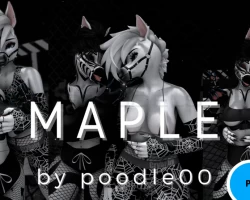


Model info
Content type:Avatars
SDK: 3.0 (VRChat)
Unity version: Unity 2022
Platform:
PC
Рhysbones: Yes
Face Tracking: No
Full body: Yes
Nsfw: Yes
DРS \ SPS : Yes
Views: 43 975
‘’Maple‘’
To download the model, you need to log in.
Description
Import Using The Creator Companion:
FOR PC: Start a new 2022 project from the VRC Creator Companion, if you don't use this, it will break the project.
Import Poiyomi Toon Shaders using the Repository Here
Import VRCFury using the Repository Here
After adding those into your Unity project, import the avatars package named MAPLE PC.
Now you can simply choose the avatar you wish to be uploaded and log into your VRChat account using the SDK and uplaod. ♥
♥♥♥
FOR QUEST:
Start a new 2022 project from the VRC Creator Companion, if you don't use this, it will break the project.
Import VRCFury using the Repository Here
Do not import Poiyomi into the quest project.
After adding those into your unity project, switch your build to ANDROID (by either using file>build settings> android or using the VRC SDK). Now import the avatars package named MAPLE QUEST.
Now you can simply choose the avatar you wish to be uploaded and log into your VRChat account using the SDK and uplaod. ♥
