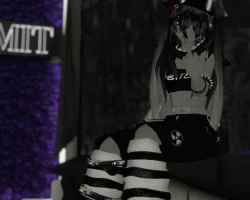


Model info
Content type:Avatars
Сreated by: Yinothy
SDK: 3.0 (VRChat)
Unity version: Unity 2019
Platform:
PC + Quest
Рhysbones: Yes
Face Tracking: No
Full body: Yes
Nsfw: No
DРS \ SPS : No
Views: 11 890
✿ Bite The Shark Bunny ✿
To download the model, you need to log in.
Description
════════════════════ Bite The Shark Bunny 3.0 ════════════════════
Poiyomi: Poi Toon ver.7.3.50.
FBT Tested!
Pc & Quest Compatible
Physbones
GoGo Loco
Requirements: Unity 2019, Latest VRC SDK and Poiyomi ver.7.3.50.
Please have some form of knowledge. I am also most likely not able to help often.
Lemme know if somethin' went wrong.
SAFE FOR WORK ONLY (SFW) + MESH ON THE BODY IS CUT SO THERE ARE NO "AREAS"
How to upload:
-> 1. Import SDK -> Import Poiyomi Shader -> 3. Import Unity Package -> 4. Down in the assets section in the project, find "Bite" & click on the SCENES folder. Double click on QUEST if you want quest one opened, or double click the other one if you want the PC scene opened.
-> If using creator companion, then just import the shader and then Unity package. (Assuming that the creator companion already added the SDK for you).
!!READ!! So, not all of the weight painting is really good, it's ok, could be worse but I would rather let you know this because I know there's imperfections and will not hide that fact. It's mostly in the top and the shorts but it's okay. There may be uneven lighting on the avatar when you take the shorts off.
This was tested on a quest 2 hooked to PC so also be aware of this too, thank you.
Avatar Details:
-3.0
-You can pull the cheeks... ON THE FACE.
-Facial Expressions
-Hue shift for the eyes.
-White finger trails
-GoGo Loco
-Multiple on/off toggles such as:
Ears, Hat, Horns, Tail, Top, Tummy Accessory, Shark Scarf, Bracelets, Cargo Shorts & Warmers.
Poiyomi: Poi Toon ver.7.3.50.
FBT Tested!
Pc & Quest Compatible
Physbones
GoGo Loco
Requirements: Unity 2019, Latest VRC SDK and Poiyomi ver.7.3.50.
Please have some form of knowledge. I am also most likely not able to help often.
Lemme know if somethin' went wrong.
SAFE FOR WORK ONLY (SFW) + MESH ON THE BODY IS CUT SO THERE ARE NO "AREAS"
How to upload:
-> 1. Import SDK -> Import Poiyomi Shader -> 3. Import Unity Package -> 4. Down in the assets section in the project, find "Bite" & click on the SCENES folder. Double click on QUEST if you want quest one opened, or double click the other one if you want the PC scene opened.
-> If using creator companion, then just import the shader and then Unity package. (Assuming that the creator companion already added the SDK for you).
!!READ!! So, not all of the weight painting is really good, it's ok, could be worse but I would rather let you know this because I know there's imperfections and will not hide that fact. It's mostly in the top and the shorts but it's okay. There may be uneven lighting on the avatar when you take the shorts off.
This was tested on a quest 2 hooked to PC so also be aware of this too, thank you.
Avatar Details:
-3.0
-You can pull the cheeks... ON THE FACE.
-Facial Expressions
-Hue shift for the eyes.
-White finger trails
-GoGo Loco
-Multiple on/off toggles such as:
Ears, Hat, Horns, Tail, Top, Tummy Accessory, Shark Scarf, Bracelets, Cargo Shorts & Warmers.
