Home » Avatars » five

Model info

Content type:Avatars
SDK: 3.0 (VRChat)
Unity version: Unity 2022
Platform: PC
Рhysbones: No
Face Tracking: No
Full body: No
Nsfw: No
DРS \ SPS : No
Views: 20 186
five

To download the model, you need to log in.

Description

Import poiyomi 7.3 / 8
GOGO LOCO
SPS

Toggles:
HOODIE
PANTS
HAT
FACE TEETH
GLASSES
FISHNET
TATTOOS
BASE TEXTURE
RINGS
NECKLACE
BRACELET
WATCH
EYE HUE
HAIR COLOR SWAP

Shoes: Plaz
Head: Mink by Sivka
Glasses: Rinzy
Hair: Delor
Base: PASTA
Hoodie/Pants: PASTA
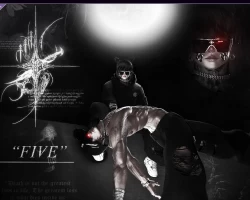
Screenshots of model five in the game
Comments: 10
Add comment

Information

To add your comment you need to log in.

  • foto
    bearofanelf #10
    0
    if the glasses are pink, try using the crystal shader, it worked for me
    6 November 2024 16:14
  • foto
    Yenshin Nakamura #9
    0
    Ricaryu7, ill try it again but it was pink for me last time but ill give it another goRicaryu7, its still pink sadly and i can't manually apply poi pro on itRicaryu7, I'm using poiyomi pro 7.30.50 and 8.2.017 since i don't have the poiyomi pro 7.30.50 by itself so i don't know if thats why
    1 October 2024 21:33
  • foto
    Ricaryu7 #8
    0
    Yenshin Nakamura, im test,waitYenshin Nakamura,i used poiyomi pro 7.30.50 too, It doesn't appear that the lens is pink, I think you need to create a new project, first import poiyomi pro 7.3.5, and then import the avatar
    1 October 2024 20:59
  • foto
    Yenshin Nakamura #7
    0
    Ricaryu7, I also tried that but there is no shader for the actual lenses just the metal material for the shades but the lenses remain pink and i can't select the lenses to change them i even tried extracting all the locked materials and non are there for the lenses
    1 October 2024 20:20
  • foto
    Ricaryu7 #6
    0
    Yenshin Nakamura, You need to manually select the shader
    1 October 2024 19:17
  • foto
    Yenshin Nakamura #5
    0
    Ricaryu7, i did i used poiyomi pro 7.30.50 and 8.2.017 and it didn't work so i tried using all the poi toons and that doesn't work either
    1 October 2024 18:12
  • foto
    Ricaryu7 #4
    0
    Yenshin Nakamura, Use poiyomi pro
    1 October 2024 06:30
  • foto
    Apollúōn #3
    +1
    Kloudz, Misa
    30 September 2024 22:26
  • foto
    Yenshin Nakamura #2
    0
    its got missing textures for the glasses and a ring
    30 September 2024 21:47
  • foto
    Kloudz #1
    0
    ***comment deleted***
    30 September 2024 21:31