

Model info
Content type:Avatars
SDK: 3.0 (VRChat)
Unity version: Unity 2022
Platform:
PC
Рhysbones: Yes
Face Tracking: Yes
Full body: Yes
Nsfw: Yes
DРS \ SPS : No
Views: 10 277
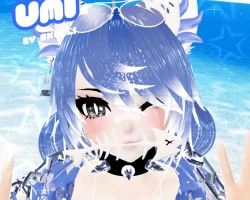
Umi the Catshark
To download the model, you need to log in.
Description
⭒ ☆ ✦ Features ✦ ☆ ⭒
3.0 Physbones
Creator companion
Editable packages
PC and QUEST included
FBT tested
Bones in hair, chains, anchor, ears, tail
Toggles for clothes and accessories
Extra skin tones with different undertones in file
GoGo Locomotion by franada
Hue shift for eyes, hair, and everything blue
Toggles for most clothes and accessories
Skin tone radial (including a sun burn)
Bubbles!!!!!
Working water gun with spray
Fishbowl springjoint
⭒ ☆ ✦ Stats ✦ ☆ ⭒
PC
18 MB in game
69 MB texture memory
241k polys
Quest disclaimer:
The quest version is missing a lot of features like the marker, springjoint, toys, and a lot of bones. When I make an avatar I focus on the PC version a lot more. I mostly make the quest version for everyone on all platforms to be able to see the avatar. I do not recommend if you are only on quest. Please keep this in mind when purchasing.
⭒ ☆ ✦ Instructions✦ ☆ ⭒
Unity 2019
Upload with the creator companion and add Avatars 3.0 manager to the project
Import included poiyomi
Import avatar package
Click 'OPEN ME'
Upload!
If uploading pc and quest make a new project, import quest package, switch build target to android, copy blueprint ID of pc upload, paste into pipeline manager, upload!
3.0 Physbones
Creator companion
Editable packages
PC and QUEST included
FBT tested
Bones in hair, chains, anchor, ears, tail
Toggles for clothes and accessories
Extra skin tones with different undertones in file
GoGo Locomotion by franada
Hue shift for eyes, hair, and everything blue
Toggles for most clothes and accessories
Skin tone radial (including a sun burn)
Bubbles!!!!!
Working water gun with spray
Fishbowl springjoint
⭒ ☆ ✦ Stats ✦ ☆ ⭒
PC
18 MB in game
69 MB texture memory
241k polys
Quest disclaimer:
The quest version is missing a lot of features like the marker, springjoint, toys, and a lot of bones. When I make an avatar I focus on the PC version a lot more. I mostly make the quest version for everyone on all platforms to be able to see the avatar. I do not recommend if you are only on quest. Please keep this in mind when purchasing.
⭒ ☆ ✦ Instructions✦ ☆ ⭒
Unity 2019
Upload with the creator companion and add Avatars 3.0 manager to the project
Import included poiyomi
Import avatar package
Click 'OPEN ME'
Upload!
If uploading pc and quest make a new project, import quest package, switch build target to android, copy blueprint ID of pc upload, paste into pipeline manager, upload!
