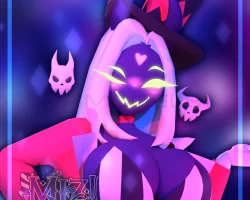


Model info
Content type:Avatars
Сreated by: Miz
SDK: 3.0 (VRChat)
Unity version: Unity 2022
Platform:
PC + Quest
Рhysbones: Yes
Face Tracking: No
Full body: Yes
Nsfw: No
DРS \ SPS : No
Views: 25 691
˚ʚ♡ɞ˚ Asmodai! ˚ʚ♡ɞ˚
To download the model, you need to log in.
Description
VRChat ready model, all assets created by Miz!
Upon purchase, you will receive Unity Packages, & Blend files.
For this model, I used Poiyomi 9.0.61, VRC Creator Companion, & Unity 2022.3.6f1! USE LATEST SDK!
To ensure this model works in Unity, please install:
ʚɞ — PoiyomiToonShader
ʚɞ — The latest VRCFury
ʚɞ — The latest GoGo Loco by franada
♡ Asmodai Features
ʚɞ — FBT ready
ʚɞ — GoGo Loco by franada
ʚɞ — Short hair on/off
ʚɞ — Neon Colors, dark colors
ʚɞ — Outfit 1 - Default
ʚɞ — Outfit 2 - Robe
ʚɞ — Outfit 3 - Oversized sweater
ʚɞ — Outfit 4 - Cropped sweater w/ underwear
ʚɞ — Horns on/off
BASE IS INCLUDED, ALL OUTFITS ARE ALL ONE MODEL!
♡ Upload Step-by-Step Guide ♡
1︰✦ — Create a new project using the VRC Companion using the latest Unity version 2022.3.22f1. name it whatever you'd like.
2︰✦ — Open the project, and import Poiyomi 9.0.61, the lastest version of VRCFury, and the latest version of GoGo Loco before continuing.
3︰✦ — Import the model(s) that does not say quest first, open the folder containing the scene labeled "OPEN ME!!!", open the VRChat SDK on the top, log in, and upload accordingly. Make sure there is no blueprint ID in the avatar descriptor before uploading, or you will run into issues.
4︰✦ — After uploading the first version of the model(s), import the model(s) that says quest, copy the ID from the first version of the model (if you can't find it, open the VRChat SDK, click on "content manager", and copy the ID listed there). Paste the ID into the blueprint ID box.
5︰✦ — After importing and checking the blueprint ID for the quest version, switch build in the VRChat SDK to android and upload.
Upon purchase, you will receive Unity Packages, & Blend files.
For this model, I used Poiyomi 9.0.61, VRC Creator Companion, & Unity 2022.3.6f1! USE LATEST SDK!
To ensure this model works in Unity, please install:
ʚɞ — PoiyomiToonShader
ʚɞ — The latest VRCFury
ʚɞ — The latest GoGo Loco by franada
♡ Asmodai Features
ʚɞ — FBT ready
ʚɞ — GoGo Loco by franada
ʚɞ — Short hair on/off
ʚɞ — Neon Colors, dark colors
ʚɞ — Outfit 1 - Default
ʚɞ — Outfit 2 - Robe
ʚɞ — Outfit 3 - Oversized sweater
ʚɞ — Outfit 4 - Cropped sweater w/ underwear
ʚɞ — Horns on/off
BASE IS INCLUDED, ALL OUTFITS ARE ALL ONE MODEL!
♡ Upload Step-by-Step Guide ♡
1︰✦ — Create a new project using the VRC Companion using the latest Unity version 2022.3.22f1. name it whatever you'd like.
2︰✦ — Open the project, and import Poiyomi 9.0.61, the lastest version of VRCFury, and the latest version of GoGo Loco before continuing.
3︰✦ — Import the model(s) that does not say quest first, open the folder containing the scene labeled "OPEN ME!!!", open the VRChat SDK on the top, log in, and upload accordingly. Make sure there is no blueprint ID in the avatar descriptor before uploading, or you will run into issues.
4︰✦ — After uploading the first version of the model(s), import the model(s) that says quest, copy the ID from the first version of the model (if you can't find it, open the VRChat SDK, click on "content manager", and copy the ID listed there). Paste the ID into the blueprint ID box.
5︰✦ — After importing and checking the blueprint ID for the quest version, switch build in the VRChat SDK to android and upload.
