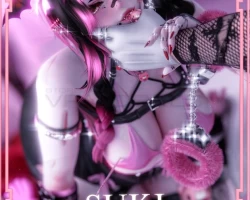
Home » Avatars » Suki

Model info

Content type:Avatars
Сreated by: KIMCHI
SDK: 3.0 (VRChat)
Unity version: Unity 2022
Platform: PC + Quest
Рhysbones: Yes
Face Tracking: Yes
Full body: Yes
Nsfw: Yes
DРS \ SPS : No
Views: 60 986
Suki

To download the model, you need to log in.

Description

PC VERSION
☠︎➥ 135+ toggles
☠︎➥ Physbones
☠︎➥ Locomotion set up
☠︎➥ SPS
☠︎➥ Interactions ( kiss, boop, headpat, highfive, and bum slap)
☠︎➥ Fullbody tracking
☠︎➥ GoGo Locomotion
☠︎➥ Fake Index Hands for Quest users
☠︎➥ Comes with 4 different hairstyles (14 color swaps)
☠︎➥ Skintextures Swap (1 tats, 1 normal)
☠︎➥ Mat Swaps
☠︎➥ Facial Gestures
☠︎➥ Eye Hue (14 mat swaps)
☠︎➥ SHOES~ (4)
☠︎➥ TOPS (3)
☠︎➥ BOTTOMS (3)

Instructions:
USE CREATOR COMPANION (2022.3.22f1)
Import Poi_pro 7.3.50_and_9.0.57.unitypackage (NOT INCLUDED), VRC Fury (1.1071.0), Crystal_Shader.unitypackage and then the SUKI package.
Screenshots of model Suki in the game
Comments: 35
Add comment

Information

To add your comment you need to log in.

  • foto
    ALT80 #35
    +1
    Download doesnt work when you try put it in unity it gives the option to froce shut down or try again. Try again doesnt work. Any help?
    9 July 2025 05:41
  • foto
    Bean3713 (user blocked for violating site rules) #34
    Virid1ty, just delete the .gz then itll be fixed
    16 April 2025 15:24
  • foto
    ozzy_2 #33
    0
    If anyone uploads her and the matching for PC and quest could I please clone? I wanna get them for me and my bf :[
    12 April 2025 14:17
  • foto
    foxterifix #32
    0
    does anyone have the poiyomi
    30 March 2025 14:25
  • foto
    CatLover #31
    +1
    It wouldn't show the file for suki, it kept saying there was a problem with it;-; how do i get to the file
    22 February 2025 10:53
  • foto
    NitroGlycerin #30
    +2
    There isn't a quest version in the files.
    12 February 2025 06:09
  • foto
    axelgirly18 #29
    0
    amputateddoll, could u upload her for me??
    11 February 2025 23:38
  • foto
    Ripzilla #28
    0
    Zaniyah jackson, Worked perfectly, Thank you.
    3 February 2025 17:14
  • foto
    Virid1ty #27
    +3
    Can someone post the non-gz file please? Im having trouble ;-;
    3 February 2025 11:30
  • foto
    GothBunnyfx #26
    +1
    whats the matching avis name??
    2 February 2025 07:46
  • foto
    Namiko #25
    0
    Lizzaa, Kaneki by kami with a ghostface mask on the side
    2 February 2025 05:07
  • foto
    bugzgutz #24
    0
    i keep getting the blue print error, how do i fix this T3T
    2 February 2025 00:54
  • foto
    SipsTea #23
    +1
    Namiko, Oh ew that curator. He's such a dick anime109
    1 February 2025 22:54
  • foto
    RRRRRRRRRRRRAAAAAAAAAAAH #22
    +4
    i want creators to make more avatars with stubby eyebrows
    1 February 2025 11:15
  • foto
    dumb gf #21
    +2
    love the avi but i dont quite understand how to get the package despite the tips posted below :< if anyone could extract the package and help me that would be amazing <3
    1 February 2025 09:06
  • foto
    amputateddoll #20
    to Fix it. Don't extract, Delete the extension .GZ at the end of the file and it becomes a regular unity package file that you are used to. if you don't see the gz at the end of your file then.that means your file type extension in explorer is turned off, To able to see that you have to turn that on.
    To do that in windows. in the search bar or settings look for '' File explorer options'' in there is a tab at the top called view, in that list uncheck '' Hide extensions for known file types''. and then rename it and remove gz at the end of file including the dot and it should turn into a unity package if you don't see that option to rename it Go into the zip file and drag the suki unitypackage.gz into your downloads and it should work try to rename it!
    31 January 2025 23:45
  • foto
    Succubus.vrc #19
    +1
    So for everyone still struggling with the deletion of the .GZ extension:
    You download the zip file off here, extract everything and open the folder. The extra folders in there are called .unitypackage.gz, this is where you delete the .GZ part!
    Hope this helps for everyone still struggling
    31 January 2025 17:22
  • foto
    SiSo6969 #18
    0
    Charlie12216, how do you Delete the extension .GZ ?
    31 January 2025 14:26
  • foto
    Lizzaa #17
    0
    Male Avi Name pls?
    31 January 2025 11:07
  • foto
    BingusDingus69 #16
    0
    I think shes cute. i wish more people put medical stuff on avis. i love the ox mask, wish it was a cannula but it is cute. :3 cant wait till i can properly show my chronic illness in game too

    I think shes cute. i wish more people put medical stuff on avis. i love the ox mask, wish it was a cannula but it is cute. :3 cant wait till i can properly show my chronic illness in game too
    31 January 2025 10:50
  • foto
    Namiko #15
    0
    Sleepybunnzz, its custom made, Kaneki by kami
    31 January 2025 06:22
  • foto
    dillywilly #14
    0
    If I try to delete the .GZ it doesnt let me @Charlie12216
    31 January 2025 04:19
  • foto
    inactivr #13
    0
    does anyone know what the guy avi is? if its a custom for the pics or not ?
    31 January 2025 00:40
  • foto
    瑷菡 1 #12
    is there male
    30 January 2025 19:51
  • foto
    Chasmalim #11
    0
    This is however PC only. There is another "Suki" avi by Kimchi that is PC and Quest.
    30 January 2025 12:26
  • foto
    Atjg1999 #10
    0
    Charlie12216, thank ya very much
    30 January 2025 11:24
  • foto
    Cyberoni #9
    0
    lol no file is unity
    30 January 2025 10:48
  • foto
    ༒SourLemLem༒ #8
    +6
    For those struggling with the files - Don't extract, Delete the extension .GZ at the end of the file and it becomes a regular unity package file that you are used to.

    For those who cant find the .GZ - that means your file type extension in explorer is turned off, To able to see that you have to turn that on.
    To do that in windows. in the search bar or settings look for '' File explorer options'' in there is a tab at the top called view, in that list uncheck '' Hide extensions for known file types''.
    30 January 2025 10:39
  • foto
    Atjg1999 #7
    0
    Ripzilla, ya figure it out yet? i dont see any either lol
    30 January 2025 10:29
  • foto
    Ripzilla #6
    0
    They're not unity Packages?
    30 January 2025 09:06
  • foto
    rockets #5
    0
    she has boogies LMAO but honestly she is cute for a kimchi model thankies!
    30 January 2025 08:25
  • foto
    Peach Kawaii #4
    0
    How i can put the unity files im confusing
    30 January 2025 08:24
  • foto
    K.Z #3
    0
    how do u get her into unity her files are so confusing?
    30 January 2025 08:13
  • foto
    Lillith6666 #2
    0
    She seems cute, is her face good in game?
    30 January 2025 08:07
  • foto
    Mori Kurashiki #1
    0
    She’s so hot and beautiful I am trying her and so far it’s nice
    30 January 2025 05:51