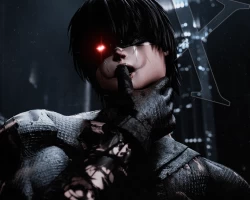


Model info
Content type:Avatars
SDK: 3.0 (VRChat)
Unity version: Unity 2022
Platform:
PC
Рhysbones: Yes
Face Tracking: Yes
Full body: Yes
Nsfw: Yes
DРS \ SPS : Yes
Views: 50 693
X
To download the model, you need to log in.
Description
How to use:
- Upon purchasing, you will be provided the Poiyomi shaders used (7.3.50 to 9.0.57) and the Unity Package for the avatar. VRChat Creator Companion will be needed to upload this model.
✭ Copy, go to the VRChat Creator Companion and head to the settings, click on "Add Repository" and paste the link given before to add it as a tool
✭ Make an "Avatar Project" and upon doing so head to "Manage Project" in the creator companion and add the "VRCFury" tool.
✭ Import Poiyomi (The one used is stated above)
✭ Import the avatar package (The avatar has alot on it so give it time!)
✭ Click on the "X by fatherbambi" folder
✭ Open the "OPEN ME" scene, and upload from there! (GIVE IT TIME <3)
- Upon purchasing, you will be provided the Poiyomi shaders used (7.3.50 to 9.0.57) and the Unity Package for the avatar. VRChat Creator Companion will be needed to upload this model.
✭ Copy, go to the VRChat Creator Companion and head to the settings, click on "Add Repository" and paste the link given before to add it as a tool
✭ Make an "Avatar Project" and upon doing so head to "Manage Project" in the creator companion and add the "VRCFury" tool.
✭ Import Poiyomi (The one used is stated above)
✭ Import the avatar package (The avatar has alot on it so give it time!)
✭ Click on the "X by fatherbambi" folder
✭ Open the "OPEN ME" scene, and upload from there! (GIVE IT TIME <3)
