Home » Avatars » Amorette

Model info

Content type:Avatars
SDK: 3.0 (VRChat)
Unity version: Unity 2022
Platform: PC + Quest
Рhysbones: Yes
Face Tracking: No
Full body: Yes
Nsfw: Yes
DРS \ SPS : No
Views: 11 520
Amorette

To download the model, you need to log in.

Description

✧ Features :
150+ Toggles
Physbones / Body Jiggle Physbones
Color Swaps
Fake Index Fingers
Blinking
GoGo Locomotion
PC & QUEST ONLY
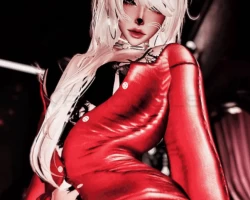
Screenshots of model Amorette in the game
Comments: 8
Add comment

Information

To add your comment you need to log in.

  • foto
    10EvE01 #8
    +1
    wheres the quest ?
    16 April 2025 13:04
  • foto
    miabella3x5 #7
    +1
    bamzzz, BAHAHAAAAAAHAHHA
    19 February 2025 21:45
  • foto
    bamzzz #6
    0
    nichi ko, who you tryna get down with ? ..
    14 February 2025 11:05
  • foto
    nichi ko #5
    +1
    having a problem with there not being an sps/gogo toggle for the avatar or perhaps variant despite stating there was in the description? if anyone could help with that i would greatly appreciate it!
    13 February 2025 13:56
  • foto
    bamzzz #4
    +5
    ALIGHT A BIG PSA FOR EVERYONE OKAY?? ANY ZARZAR AVI WILL COME WITH TOGGLES BROKEN, ITS LIKE A GIVEN NOW.. here's how to properly fix them ON EVERY SINGLE ON ALL OF HER AVIS. Click on the avatar in the "Hierarchy" then on the RIGHT side of your screen you will see the "Inspector" window up at the top under "Animator" look for the tab marked "Controller" click the little plus on it and scroll up on the pop up you get in this avatars case what you will be clicking on in the pop up is names "! VDAY FX" click on it .. you have that set , now in the same avatar "Inspector" window scroll down till you see a tab marked "Playable Layers" underneath it should be another tab marked "FX" click the little plus on it, scroll up on the pop up till you see "! VDAY FX" click on it then your all set. PSA ALL ZARZAR AVIS UPLOADED ON HERE WILL HAVE BROKEN TOGGLES AND IT IS ALL THE SAME ISSUE AND FIXED THE SAME WAY.. IF YOU EVER HAVE THIS PROBLEM AGAIN THIS IS PROBALLY THET ISSUE , SO THIS IS HOW YOU SOLVE IT FOR ALL THE ZARZAR AVI TOGGLE PROBLEMS - you're welcome <3
    11 February 2025 12:46
  • foto
    bamzzz #3
    0
    vampiii, heyy, prob a easy fix. has something to do with the "FX" menu prob just need to go click on the avatar then in the avatar inspector on the right side ; under the tab "Animator" look for "Controller" and test out the FX in there I would say click on the - plus - next to "Controller" and scroll up on the pop up and click on the first FX that appears at the top. then after you click it scroll down on the avatar inspector window till you find the "Playable Layers" tab then find the section under it named "FX" then just do what you did for the controller and click on the plus next to "FX" scroll up on the pop up and click on the first FX on the very top of the pop up. -- if that doesn't work I will find a more in depth fix later..
    11 February 2025 08:25
  • foto
    vampiii #2
    0
    none of the toggles are working
    11 February 2025 04:56
  • foto
    Lillith6666 #1
    0
    Anyone got the matching guy, Amor?
    11 February 2025 04:15