
Model info
Content type:Avatars
Сreated by: FreshSqzDanny
SDK: 3.0 (VRChat)
Unity version: Unity 2022
Platform:
PC
Рhysbones: Yes
Face Tracking: No
Full body: No
Nsfw: No
DРS \ SPS : No
Views: 10 115
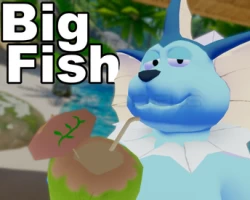
Big Fish
To download the model, you need to log in.
Description
Lol I Do Not give a fuck about the TOS Genuine Waste Of Money Not Even A good Model to Work On
Copied from the PDF On the Orginal Avatar It Came with
How To Install - Big Fish
Download and install VRC Creator Companion and Poiyomi Shaders:
Install VRC Creator Companion, and make a new project
Select the “Avatar Projects” tab, create the project, and then open it
(Unity will take its sweet time just let it do its thing)
With the Unity project open, drag the Poiyomi Shader unity package into the project window,
then hit import
Now, with everything else installed, drag the VapBase file into the project and click import
Once it’s finished importing, navigate to Assets > Avatars > VapBase in the Project tab, and find
the scene labeled “VapBase Scene.” Under the inspector tab, click “open”
On the top bar, select “VRChat SDK” and choose “Show Control Panel”
In the control panel, log in with your VRChat username and password, and upload as you
normally would. Make sure to hit “auto fix” on the ‘Streaming Min Maps’ before uploading, and
then you should be good to go!
If you are having any issues with the upload, you may need to detach the Blueprint ID on the
Pipeline Manager, which you can do by selecting “VapBase_00.08.7 normal” on the hierarchy
