

Model info
Content type:Avatars
SDK: 3.0 (VRChat)
Unity version: Unity 2022
Platform:
PC + Quest
Рhysbones: Yes
Face Tracking: No
Full body: Yes
Nsfw: No
DРS \ SPS : No
Views: 7 525
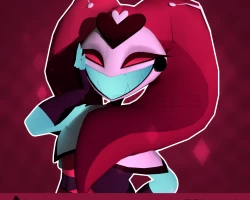
Kitty From Hazbin Hotel (Unity Package)
To download the model, you need to log in.
Description
(Another) Fair warning: This model is a little on the older side. The textures are boxed as well, so some UVs share the same texture spaces. Please be mindful before purchasing.
Here's Kitty's public files, VRChat ready! All assets made from scratch by Miz!
Upon purchase, you will receive Unity Package, & .blend files.
For this model, I used Poiyomi 9.2.43, VRC Creator Companion, the latest VRChat SDK, VRCFury, & Unity 2022.3.22f1!
To ensure this model works in Unity, please install:
ʚɞ — PoiyomiToonShader
ʚɞ — The latest VRCFury
ʚɞ — The latest GoGo Loco by franada
♡ Kitty Toggles ♡
ʚɞ — Boots on/off
ʚɞ — Nothing else, sorry :(
♡ Upload Step-by-Step Guide ♡
1︰✦ — Create a new project using the VRC Companion using the latest Unity version 2022.3.22f1. name it whatever you'd like.
2︰✦ — Open the project, and import Poiyomi 9.2.43, the lastest version of VRCFury, and the latest version of GoGo Loco before continuing.
3︰✦ — Import the model, open the folder containing the scene labeled "OPEN ME!!!", open the VRChat SDK on the top, log in, and upload the PC model. Make sure there is no blueprint ID in the avatar descriptor before uploading, or you will run into issues. Once the PC version is uploaded, copy and paste the ID into the Quest avatar's blueprint ID box so the avatars become linked.
5︰✦ — After checking the blueprint ID for the quest version, switch the build in the VRChat SDK to android and upload.
Here's Kitty's public files, VRChat ready! All assets made from scratch by Miz!
Upon purchase, you will receive Unity Package, & .blend files.
For this model, I used Poiyomi 9.2.43, VRC Creator Companion, the latest VRChat SDK, VRCFury, & Unity 2022.3.22f1!
To ensure this model works in Unity, please install:
ʚɞ — PoiyomiToonShader
ʚɞ — The latest VRCFury
ʚɞ — The latest GoGo Loco by franada
♡ Kitty Toggles ♡
ʚɞ — Boots on/off
ʚɞ — Nothing else, sorry :(
♡ Upload Step-by-Step Guide ♡
1︰✦ — Create a new project using the VRC Companion using the latest Unity version 2022.3.22f1. name it whatever you'd like.
2︰✦ — Open the project, and import Poiyomi 9.2.43, the lastest version of VRCFury, and the latest version of GoGo Loco before continuing.
3︰✦ — Import the model, open the folder containing the scene labeled "OPEN ME!!!", open the VRChat SDK on the top, log in, and upload the PC model. Make sure there is no blueprint ID in the avatar descriptor before uploading, or you will run into issues. Once the PC version is uploaded, copy and paste the ID into the Quest avatar's blueprint ID box so the avatars become linked.
5︰✦ — After checking the blueprint ID for the quest version, switch the build in the VRChat SDK to android and upload.
