

Model info
Content type:Avatars
Сreated by: Neochroma
SDK: 3.0 (VRChat)
Unity version: Unity 2022
Platform:
PC + Quest
Рhysbones: Yes
Face Tracking: Yes
Full body: No
Nsfw: No
DРS \ SPS : No
Views: 28 524
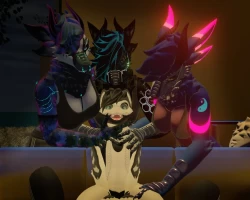
Pepper Imp
To download the model, you need to log in.
Description
1. Verify your using VRChat's current supported Unity version.
2. Import VRChat's currently supported SDK into your new Unity project.
3. Download and import Liltoon shader
4. Import Poiyomi shader
5. Now you're good to import the Pepper-imp Unity package into your VRC project.
6. Double click on the "Pepper-imp-scene".
7. Tag the accessories you don't want as "EditorOnly" at the top of the Unity inspector. That way you don't have to delete items.
8. You may have to detach the Blueprint ID:
9. Upload!
GoGo Loco included
Performance PC rating Medium by default.
Phys-bones pre-applied.
Toggles created for the accessories / body modifications pre-made.
Clothes and body color accent sliders
2. Import VRChat's currently supported SDK into your new Unity project.
3. Download and import Liltoon shader
4. Import Poiyomi shader
5. Now you're good to import the Pepper-imp Unity package into your VRC project.
6. Double click on the "Pepper-imp-scene".
7. Tag the accessories you don't want as "EditorOnly" at the top of the Unity inspector. That way you don't have to delete items.
8. You may have to detach the Blueprint ID:
9. Upload!
GoGo Loco included
Performance PC rating Medium by default.
Phys-bones pre-applied.
Toggles created for the accessories / body modifications pre-made.
Clothes and body color accent sliders
