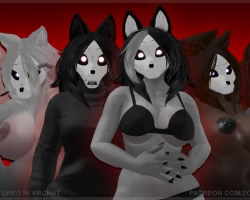
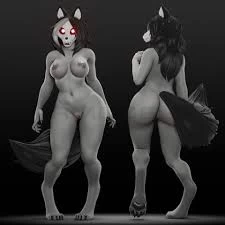
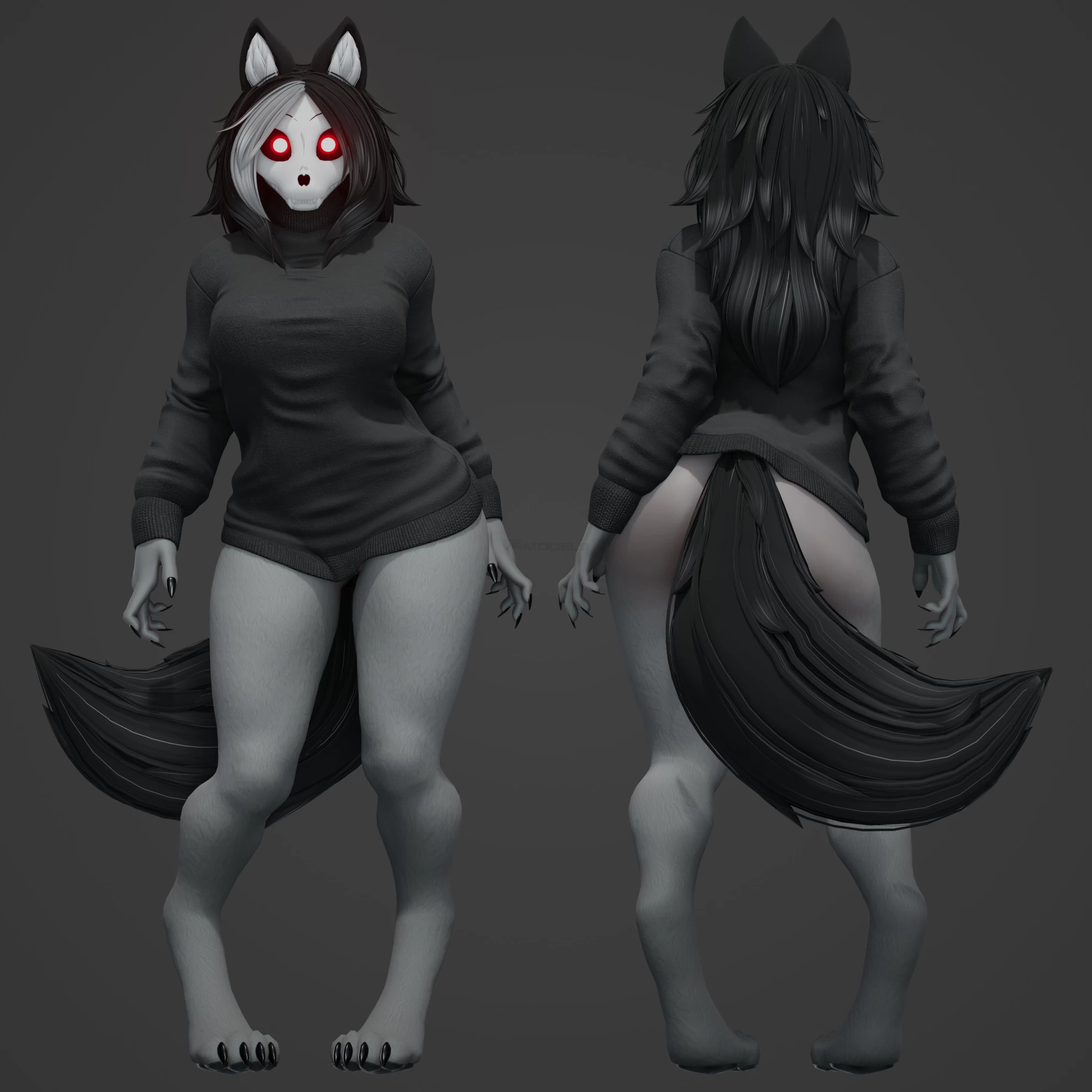
Model info
Content type:Avatars
Сreated by: Zoidrawzaton
SDK: 3.0 (VRChat)
Unity version: Unity 2022
Platform:
PC
Рhysbones: No
Face Tracking: No
Full body: No
Nsfw: Yes
DРS \ SPS : No
Views: 49 081
mal0 3d model
To download the model, you need to log in.
Description
MAKE SURE YOU USE THE VRCHAT CREATOR COMPANION
VRChat documentation for the Creator Companion! -- https://vcc.docs.vrchat.com/
This will allow for you to quickly update your VRC SDK, the Unity Version, and any public packages!
Such as VRCFury, Poiyomi Shader, GoGoLoco, and many more!
CREATING A NEW AVATAR PROJECT WITH CC
With the Creator Compantion installed, you need to create a new project!
Click on "Create New Project", then make sure to pick the most updated / recent option for an avatar project! (Currently 2022 as of 5/18/2025)
Give it a project name, project location, and then create project!
VRCFury's SPS (Super Plug Shader)
This MalO avatar has the SPS (Super Plug Shader) setup on it. -- https://vrcfury.com/sps/
FOLLOW THE REPOSITORIES INSTALLATION INSTRUCTIONS DOWN BELOW TO AVOID BREAKING AVATAR COMPONENTS!
CURATED CREATOR COMPANION PACKAGES
While setting up this MalO model, I had these additional curated packages added to my project for testing!
These packages should already be included when you install the Creator Companion, ready to add to any avatar project:
-- Gesture Manager
-- Av3Emulator
-- Avatars 3.0 Manager
REQUIRED PUBLIC PACKAGES / REPOSITORIES
VRChat documentation -- https://vcc.docs.vrchat.com/guides/community-repositories/
If these links don't work, you may copy and add the repository manually in the Creator Companion,
go to Settings > Packages > Add Repository
== VRCFury ==
(A helpful tool that allows for easier avatar and prefab setup! NECESSARY FOR SPS (Super Plug Shader)!)
== Poiyomi ==
== GoGoLoco ==
== Haï~ == (AND MODULAR AVATAR)
=====================YOU'LL GET MORE THAN JUST ONE PACKAGE FROM THIS REPOSITORY! THIS IS NORMAL!=====================
Make sure you add the following packages:
-- Haï ~ Prefabulous
-- Modular Avatar
FINALLY INSTALLING THE MALO SETUP UNITY PACKAGE
Once you have all of the Creator Companion custom packages / repositories added,
make sure to open your new avatar project and be patient while Unity runs it's course.
If any errors appear on your screen and ask you to "Enter Safe Mode", just continue as usual until Unity opens up a blank scene in the viewport.
After this, close and reopen your Unity avatar project.
It sounds weird, but Unity is very weird. Letting it open a second time prevents issues from occuring.
Now that you've opened up the project twice and (hopefully) there isn't any errors in the console down below, you can install the MalO package!
Drag and drop the .unitypackage into the "Assets" folder, and just hit accept when the "Import Unity Package" window pops up.
Open up the "MalO" folder, and you'll find another folder called "Prefab Setup".
Just drag and drop that beauty into your Unity scene and you're all set!
CHECKING TO MAKE SURE EVERYTHING IS INSTALLED CORRECTLY
Navigate to your Unity's hierarchy and click on the MalO drop down, to view all of the contents, such as the armature, meshes, and components.
Click on the components titled "SPS Socket", "PA Recalculate Normals", and "GogoLoco All (VRCFury)"
Double check and make sure in the Unity inspector that there isn't any missing scripts or components!
If you installed the custom packages correctly, nothing should be broken!
VRChat documentation for the Creator Companion! -- https://vcc.docs.vrchat.com/
This will allow for you to quickly update your VRC SDK, the Unity Version, and any public packages!
Such as VRCFury, Poiyomi Shader, GoGoLoco, and many more!
CREATING A NEW AVATAR PROJECT WITH CC
With the Creator Compantion installed, you need to create a new project!
Click on "Create New Project", then make sure to pick the most updated / recent option for an avatar project! (Currently 2022 as of 5/18/2025)
Give it a project name, project location, and then create project!
VRCFury's SPS (Super Plug Shader)
This MalO avatar has the SPS (Super Plug Shader) setup on it. -- https://vrcfury.com/sps/
FOLLOW THE REPOSITORIES INSTALLATION INSTRUCTIONS DOWN BELOW TO AVOID BREAKING AVATAR COMPONENTS!
CURATED CREATOR COMPANION PACKAGES
While setting up this MalO model, I had these additional curated packages added to my project for testing!
These packages should already be included when you install the Creator Companion, ready to add to any avatar project:
-- Gesture Manager
-- Av3Emulator
-- Avatars 3.0 Manager
REQUIRED PUBLIC PACKAGES / REPOSITORIES
VRChat documentation -- https://vcc.docs.vrchat.com/guides/community-repositories/
If these links don't work, you may copy and add the repository manually in the Creator Companion,
go to Settings > Packages > Add Repository
== VRCFury ==
(A helpful tool that allows for easier avatar and prefab setup! NECESSARY FOR SPS (Super Plug Shader)!)
== Poiyomi ==
== GoGoLoco ==
== Haï~ == (AND MODULAR AVATAR)
=====================YOU'LL GET MORE THAN JUST ONE PACKAGE FROM THIS REPOSITORY! THIS IS NORMAL!=====================
Make sure you add the following packages:
-- Haï ~ Prefabulous
-- Modular Avatar
FINALLY INSTALLING THE MALO SETUP UNITY PACKAGE
Once you have all of the Creator Companion custom packages / repositories added,
make sure to open your new avatar project and be patient while Unity runs it's course.
If any errors appear on your screen and ask you to "Enter Safe Mode", just continue as usual until Unity opens up a blank scene in the viewport.
After this, close and reopen your Unity avatar project.
It sounds weird, but Unity is very weird. Letting it open a second time prevents issues from occuring.
Now that you've opened up the project twice and (hopefully) there isn't any errors in the console down below, you can install the MalO package!
Drag and drop the .unitypackage into the "Assets" folder, and just hit accept when the "Import Unity Package" window pops up.
Open up the "MalO" folder, and you'll find another folder called "Prefab Setup".
Just drag and drop that beauty into your Unity scene and you're all set!
CHECKING TO MAKE SURE EVERYTHING IS INSTALLED CORRECTLY
Navigate to your Unity's hierarchy and click on the MalO drop down, to view all of the contents, such as the armature, meshes, and components.
Click on the components titled "SPS Socket", "PA Recalculate Normals", and "GogoLoco All (VRCFury)"
Double check and make sure in the Unity inspector that there isn't any missing scripts or components!
If you installed the custom packages correctly, nothing should be broken!
