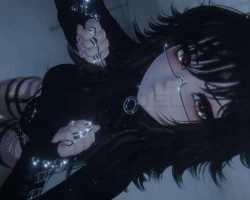


Model info
Content type:Avatars
Сreated by: NEIKOGH
SDK: 3.0 (VRChat)
Unity version: Unity 2022
Platform:
PC + Quest
Рhysbones: Yes
Face Tracking: Yes
Full body: Yes
Nsfw: Yes
DРS \ SPS : Yes
Views: 32 475
Pepper
To download the model, you need to log in.
Description
Features:
SFW (You cannot toggle off the underwear for this avatar, only swap it. The genitals and nipples are cut out of the mesh, so there is nothing there.)
Genderfluid (chest goes completely flat)
VRCFT (ARKit)
Gogo Loco
Advanced Gestures
50+ toggles and sliders for customization
Quest Differences:
Only short hair length (still have all options for bangs), no tattoos, no fishnets
Physbones in both ears, both tails, boobs, butt, and thighs
(Last photo is on Quest)
HOW TO UPLOAD - Pepper PC+Q
Links to download all necessary add-ons are on the store page for this avatar,
detailed instructions for how to install them are on their respective websites
PC:
1) Create a new avatar project using the Creator Companion (CC) in unity 2022
- The SDK MUST be version 3.8.1 or later
2) Import poiyomi toon (poi pro is ok too, it has toon built in)
3) Import VRCFury via CC (version 1.1228.0 or later)
4) Import Adjerry's VRCFT Templates via CC (only necessary for FT versions)
5) Import Pepper PC Unity Package
6) Select "OPEN ME" scene in the "Pepper" folder
7) Choose the standard or FT version and then upload
QUEST:
1) Create a new avatar project using the Creator Companion (CC) in unity 2022
- The SDK MUST be version 3.8.1 or later
2) Import VRCFury via CC (version 1.1228.0 or later)
3) Import Adjerry's VRCFT Templates via CC (only necessary for FT versions)
4) Import Pepper Quest Unity Package
5) Select "OPEN ME" scene in the "Pepper" folder
6) Copy the blueprint ID, paste it into the standard or FT version, and then upload
SFW (You cannot toggle off the underwear for this avatar, only swap it. The genitals and nipples are cut out of the mesh, so there is nothing there.)
Genderfluid (chest goes completely flat)
VRCFT (ARKit)
Gogo Loco
Advanced Gestures
50+ toggles and sliders for customization
Quest Differences:
Only short hair length (still have all options for bangs), no tattoos, no fishnets
Physbones in both ears, both tails, boobs, butt, and thighs
(Last photo is on Quest)
HOW TO UPLOAD - Pepper PC+Q
Links to download all necessary add-ons are on the store page for this avatar,
detailed instructions for how to install them are on their respective websites
PC:
1) Create a new avatar project using the Creator Companion (CC) in unity 2022
- The SDK MUST be version 3.8.1 or later
2) Import poiyomi toon (poi pro is ok too, it has toon built in)
3) Import VRCFury via CC (version 1.1228.0 or later)
4) Import Adjerry's VRCFT Templates via CC (only necessary for FT versions)
5) Import Pepper PC Unity Package
6) Select "OPEN ME" scene in the "Pepper" folder
7) Choose the standard or FT version and then upload
QUEST:
1) Create a new avatar project using the Creator Companion (CC) in unity 2022
- The SDK MUST be version 3.8.1 or later
2) Import VRCFury via CC (version 1.1228.0 or later)
3) Import Adjerry's VRCFT Templates via CC (only necessary for FT versions)
4) Import Pepper Quest Unity Package
5) Select "OPEN ME" scene in the "Pepper" folder
6) Copy the blueprint ID, paste it into the standard or FT version, and then upload
