Home » Avatars » LOLA

Model info

Content type:Avatars
Сreated by: bonez
SDK: 3.0 (VRChat)
Unity version: Unity 2022
Platform: PC + Quest
Рhysbones: Yes
Full body: Yes
DРS \ SPS : No
Views: 13 018
LOLA

To download the model, you need to log in.

Description


Anime > Mature headswap
Tail ON ⇄ OFF
+14 Skintones
( saturation & no saturation )

+37 Hair colors
Eye Emissions
Smooth blink feature
Short hair > Long hair toggles
Pigtails / Messy bun toggles
B ⇄ W Inverts for clothes
B ⇄ W Inverts for accessories
ON ⇄ OFF Toggles for EVERYTHING
6 Top Swaps
( cross bikini, strapless bikini, reef top, tied top, spike top, off shoulder )

3 Bottom Swaps
cross bikini, jean shorts, comfy shorts
Lobster plushie Prop
Bubble gun Prop
( shoots bubble particles )

Water gun
( shoots water particles )

Physbones + Gogo + Menu
Quest adjustments
Less Physbones
No step particles
Lower quality Materials
Less accessories

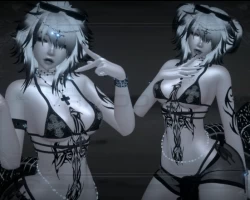
Screenshots of model LOLA in the game
Uploaded by

Anonymous


Comments: 10
Add comment

Information

To add your comment you need to log in.

  • foto
    Coffinsarecool #10
    0
    billiebunnie, THANK YOUUUUUU
    4 September 2025 08:33
  • foto
    billiebunnie #9
    Coffinsarecool, Hi, I am broke also but figured out how to install it. I am gonna make this quick and simple.

    1) Use these sdk and packages and your latest Poi (I suggest pro)

    2) Make sure youre using Unity 2022.3.22
    3) Add Lola in.
    4) Fix the Write Defaults. All you have to do is go to the FX Layer, click on each box that is listed in the VRCFury (it tells you about it on the *right*) and click the little box next to the words Write Defaults. If you need something more in depth go look up AskAmber on Youtube.
    5) Log in and Upload

    Here's how I did Quest:

    1) Same Unity and SDK (don't add poi please)
    2) Add VRCFury (same version ofc)
    3) Drag in Lola Quest package
    4) Delete Package Cam! in the XTRA folder (I'll explain below so finish reading before you upload)
    5) Also, if you want it to look a little better on Quest I did something to the Sarong. I clicked the material and changed it to VRChat/Mobile/Particles/Multiply (this will make it kinda see through like the PC Version!)
    6) Sign into SDK and change it to Android
    7) Copy PC ID and add it to VRC Avi descriptor

    Now, you can try it the way I was too lazy to with Quest. Deleting the Cam! folder. You could add the Avatar Manager that we added to PC and see if that works since it was asking for VRLabs. It should work but I don't think you can even use that folder anyway since its the waterguns and that's not on quest. So I just deleted it and was too tired to figure that part out. But other than that, there you go! Have fun uploading!!! :D

    Waffelz89, forgot to reply to you too! have fun uploading! :D
    4 September 2025 04:40
  • foto
    smoriezcookies94 (user blocked for violating site rules) #8
    on a free website is crazy...
    2 September 2025 23:19
  • foto
    InsomniacHunter #7
    -6
    Coffinsarecool, Im not sure, it worked for me. if anyone has a issue i upload if anyone is willing to pay. its 15$
    18 August 2025 04:38
  • foto
    Coffinsarecool #6
    0
    InsomniacHunter, so there's no blueprint id to remove
    9 August 2025 18:37
  • foto
    InsomniacHunter #5
    0
    Mikca, in the vrc avatar descriptor just remove the blueprint id and then you should be good
    4 August 2025 01:39
  • foto
    Coffinsarecool #4
    0
    Mikca, have you fixed the issue im having it to
    1 August 2025 17:55
  • foto
    KubaTheDragon #3
    0
    this is not a furry
    1 August 2025 03:44
  • foto
    Mikca #2
    0
    says theres a problem with the blueprint id
    30 July 2025 16:30
  • foto
    vh ex #1
    0
    anyone have flap by them?
    28 July 2025 12:37
s