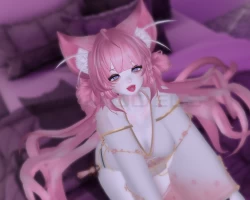
Home » Avatars » YUKO

Model info

Content type:Avatars
Сreated by: HyeJu
SDK: 3.0 (VRChat)
Unity version: Unity 2019
Platform: PC
Рhysbones: Yes
Face Tracking: No
Full body: No
Nsfw: Yes
DРS \ SPS : Yes
Views: 13 729
YUKO

To download the model, you need to log in.

Description

How to imfort Unity Packige
Preparing for Unity 2019.4.31f1
Imfort latest version update VRC SDK
(This avatar was created with "VRCSDK3-AVATAR-2022.07.26.21.45".)
Imofort poi_Toon_7.3.50_To_8.1.156
Imfort RalivDynamicPenetrationSystem
(Not included in the package. If you don't need the DPS feature, you don't need to apply it.)
Imfort "yuko" Packige

(Actually, the 2022 version of Unity can also be uploaded. The FBX and Blender files in the folder were created by myself, as they were not originally included in YUKO's files.)

Screenshots of model YUKO in the game
Uploaded by

Anonymous


Comments: 7
Add comment

Information

To add your comment you need to log in.

  • foto
    ahritan01 #7
    0
    I can't upload, can anyone help me?
    22 August 2025 07:15
  • foto
    AiSaku Hyoha #6
    +1
    Myn Kusakabe,

    I just uploaded again to confirm that VRCFury is indeed needed.

    I also recorded it for future reference by my friends:

    1. Open ALCOM (due to network issues, I am unable to use VCC. Friends who use VCC do not need to change your habits);

    2. After selecting the following software packages on the ALCOM interface, open them Unity2022.3.22f1:VRChat SDK—Avatars、VRChat SDK—Base、Poiyomi Toon ShaderVRCFury、VRChat SDK Patcher(←I downloaded this plugin because of my network issues. Friends who have no network problems can ignore it);

    3. Find the Yuko folder in the assets folder, go to Yuko.unity or Yuko.prfeed, and drag it into the hierarchy;

    4. Open VRChat SDK, log in, fill in information, and press the upload button;

    5. Upload successful.

    I also found that the twinkling speed of the shiny particles on her eye shadow in the game was particularly crazy. You can modify the twinkling speed here: Body > head(Material) > Poiyomi Toon Special/Effects > Glitter/Sparkle > Glitter Speed:30(Suggested value)

    If a window appears during the upload process requiring material optimization, please immediately reject and terminate the upload. Modify the material of the shirt before uploading. If you press OK, you may receive "The Emperor's New Shirt".

    Also, I don't think the models of the two clothes should be worth $50.
    20 August 2025 14:54
  • foto
    ahritan01 #5
    0
    Myn Kusakabe, how?
    18 August 2025 16:25
  • foto
    Myn Kusakabe #4
    0
    AiSaku Hyoha, it also tells me build framework issue, so i put in animator controller everything to vrcfury and it worked
    17 August 2025 12:36
  • foto
    AiSaku Hyoha #3
    0
    K0reanGh0st, I successfully uploaded and used this avatar. Where exactly did you go wrong?
    16 August 2025 14:13
  • foto
    MasterOfGod #2
    0
    why i cant upload avi this is sad:(
    16 August 2025 13:32
  • foto
    ahritan01 #1
    0
    build framework preprocess hook unity
    15 August 2025 02:28