Avatars
Search
Avatars
Models
Other
Screenshots
Community
Authorization
Register
Home
»
Avatars
» Naya & Xavior
Model info
Content type:
Avatars
Сreated by:
Me!!
SDK:
3.0 (VRChat)
Unity version:
Unity 2022
Platform:
PC + Quest
Рhysbones:
Yes
Face Tracking:
No
Full body:
Yes
Nsfw:
No
DРS \ SPS :
No
Views:
37 805
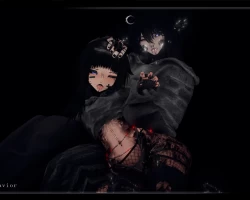
Naya & Xavior
To download the model, you need to
log in
.
Description
Uploaded by me!!
(~-Domino-~)
Female
,
Male
,
Couple
Uploaded by
James pike
25-08-2025, 21:19
Comments: 15
Add comment
Information
To add your comment you need to
log in
.
Рыцарь смерти
#15
0
я не понимаю как папку переделать в юнити
29 November 2025 07:06
freakiestfreakbob
#14
+2
what packages do i need to import? just regular
vrcfury
, poiyomi, avi, upload?
12 November 2025 10:47
bryanvega02
#13
0
puppychan
, whats the setting bro
9 November 2025 09:25
puppychan
#12
0
6_AM0r3_6
, if your files don't show the
.gz
you have to uncheck the setting in your file manager so that they show. then you just click rename and take the
.gz
out and it changes to a unity file
10 September 2025 05:48
6_AM0r3_6
#11
0
puppychan
, how?
7 September 2025 14:50
puppychan
#10
0
puppychan
, NVM I GOT IT!!!
7 September 2025 10:34
puppychan
#9
0
so when i downloaded and extracted it gave me like 100 folders in a folder, i want them so bad, pls helppp
puppychan
, my files also do not say
.GZ
5 September 2025 15:52
TigressXO
#8
0
6_AM0r3_6
, I’m having the same issue
My files don’t have the gz at the end if anyone can help I’d appreciate it so much!
1 September 2025 22:13
Mikiloolu
#7
0
Instructions using WinR (Paste in Url to see how to)
step 1# https://i.imgur.com/wGyYyZV.png[/img]
Step 2#
31 August 2025 18:03
6_AM0r3_6
#6
+1
its still not working for me, when i go into my file explorer it doesnt say
.gz
so theres nothing for me to delete. whenever i extract the file it just shows me a bunch of other files labeled with a bunch of letter and numbers. can someone please help me.
29 August 2025 07:18
Morris
#5
0
Xavior looks amazing! Thank you so much for the upload!
27 August 2025 04:52
Antivast
#4
+2
For anyone wondering: at the end of the file name it goes '.unitypackage
.gz
' just remove the '.gz' part.
26 August 2025 05:16
kaiyo_vrc
#3
0
Star Dust
, could you explain how you managed to upload it bc the files are confusing me
26 August 2025 02:10
kaiyo_vrc
#2
0
could someone help, idk how to import this into unity.
26 August 2025 01:50
Star Dust
#1
+1
is it supposed to be a GZ file? never worked with this kind of file before
nvm, im just dumb, i removed the
.gz
from the file and ite importing just fine
25 August 2025 21:42