Model info
Content type:Avatars
Сreated by: PaperRue
SDK: 3.0 (VRChat)
Unity version: Unity 2022
Platform:
PC + Quest
Рhysbones: Yes
Face Tracking: Yes
Full body: Yes
Nsfw: Yes
DРS \ SPS : No
Views: 26 677
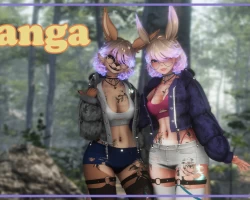
Kanga
To download the model, you need to log in.
Description
PC Version:
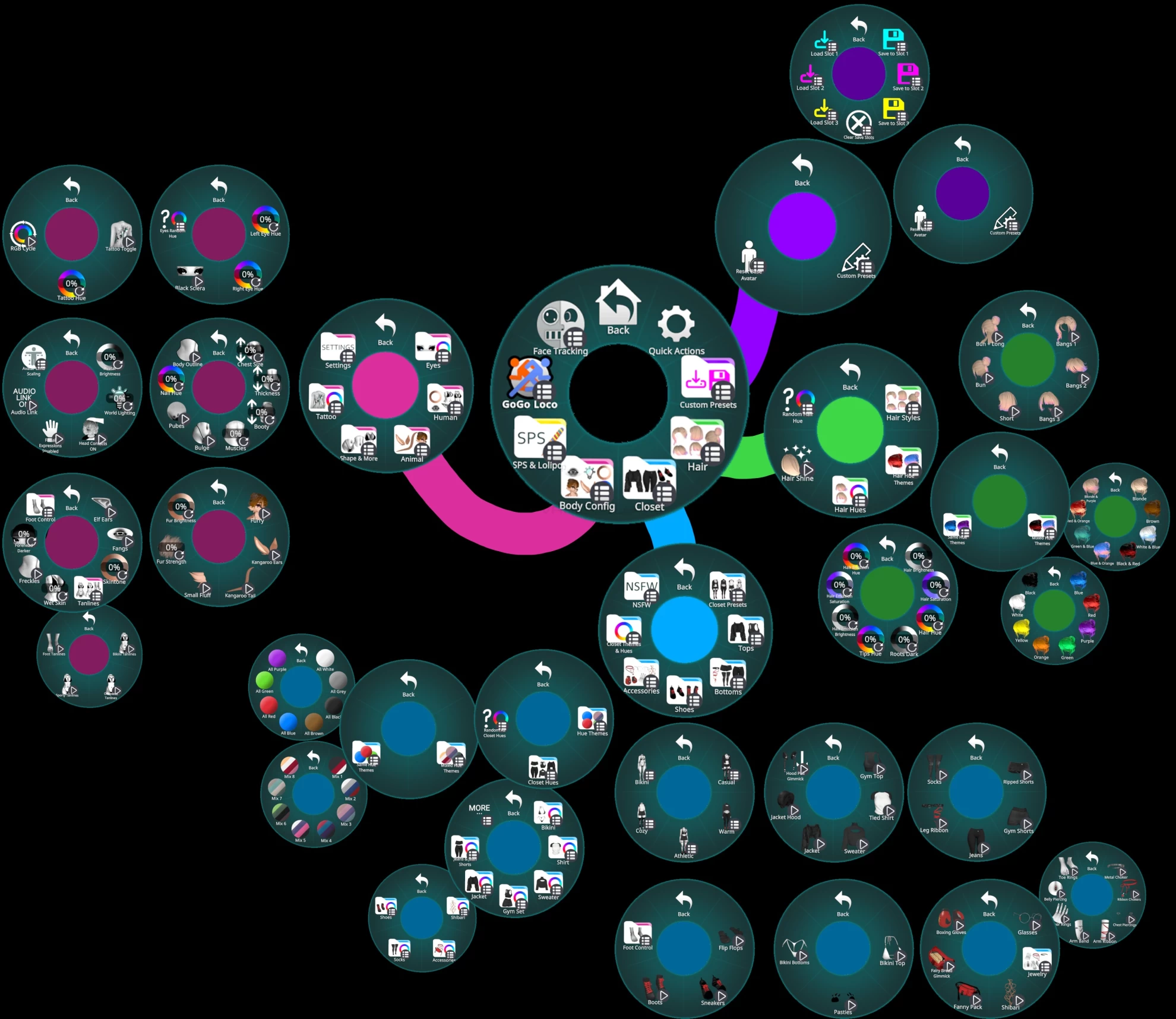
Custom Presets:
3 Save, Load, Clear Slots - Used to make custom looks, outfits, hues, themes. Do NOT use VRChats reset to default if you want to use these, it will reset your custom saves.
Reset Base Avatar - Resets the avatar to the default look.
Hair:
3 Bang Styles- Side, Front, Straight
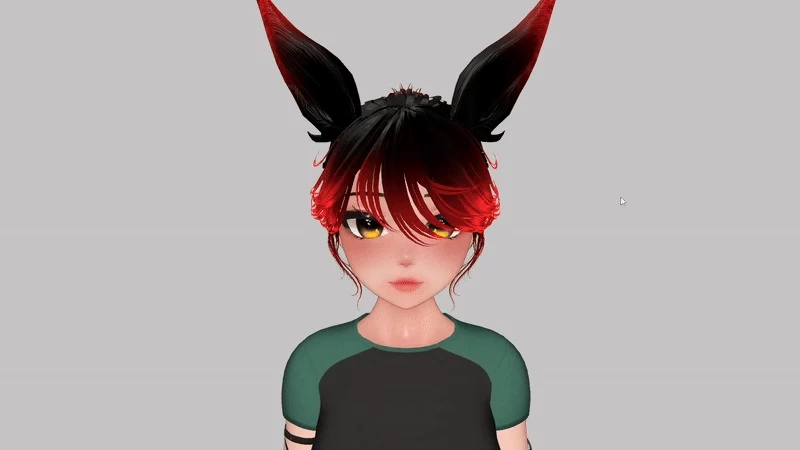
3 Hair Styles - Short, Bun, Bun + Long
Hair Hue Themes - 8 Mixed Hair Hue Presets, 8 Same Hair Hue Presets
Hair Hues - Hair Brightness, Hair Saturation, Hair Hue, Roots Dark, Tips Hue, Hair Emission Brightness, Hair Emission Saturation, Hair Emission Hue, Hair Shine (Hue changes with Hair Hue)
Random Hair Hue
Clothing:
Closet Presets - Casual, Warm, Athletic, Cozy, Bikini
4 Tops - Gym Top, Tied Shirt, Sweater, Jacket, Jacket Hood, Hood Pull Gimmick
5 Bottoms, Ripped Shorts, Gym Shorts, Jeans, Leg Ribbon, Socks
3 Shoes - Flip Flops, Sneakers, Boots
12 Accessories - Glasses, Metal Choker, Ribbon Choker, Chest Piercings, Arm Ribbon, Arm Band, Finger Rings, Belly Piercing, Toe Rings, Rope, Fanny Pack, Fairy Bread Gimmick, Boxing Gloves
3 Under clothes
Closet Themes & Hues - 8 Mixed Hue Presets, 8 Same Hue Presets. Brightness, Saturation, Hue Sliders for Bikini, Shirt, Sweater, Gym Set, Jacket, Jeans/Shorts, Rope, Accessories, Socks, Shoes. Pattern Swaps for Bikini, Shirt, Gym Set, Jacket. Socks Transparency on/off, Shoe Laces Match Accessories on/off. Random Closet Hue
Customisation:
Eyes - Left Eye Hue, Right Eye Hue, Black Sclera, Eye Random Hue
Human - Elf Ears, Fangs, Skintone, Tanlines (Bikini, Sporty, One Piece, Flip Flop), Wet Skin, Freckles, Forehead Darker
Animal - Furry, Kangaroo Ears, Kangaroo Tail, Small Fluff, Fur Strength, Fur Brightness
Shape & More - Chest Size, Thickness, Booty, Muscles, Bulge, Body Hair, Nail Hue, Body Outline
Tattoo - Tattoo On/Off, Tattoo Hue, RGB Cycle
Settings - Avatar Brightness, World Lighting, Head Contacts, Gesture Faces Disable, Audio Link
Other:
Gogo Loco
Unified Expressions Face Tracking
Toe Control
Avatar Limb Scaling
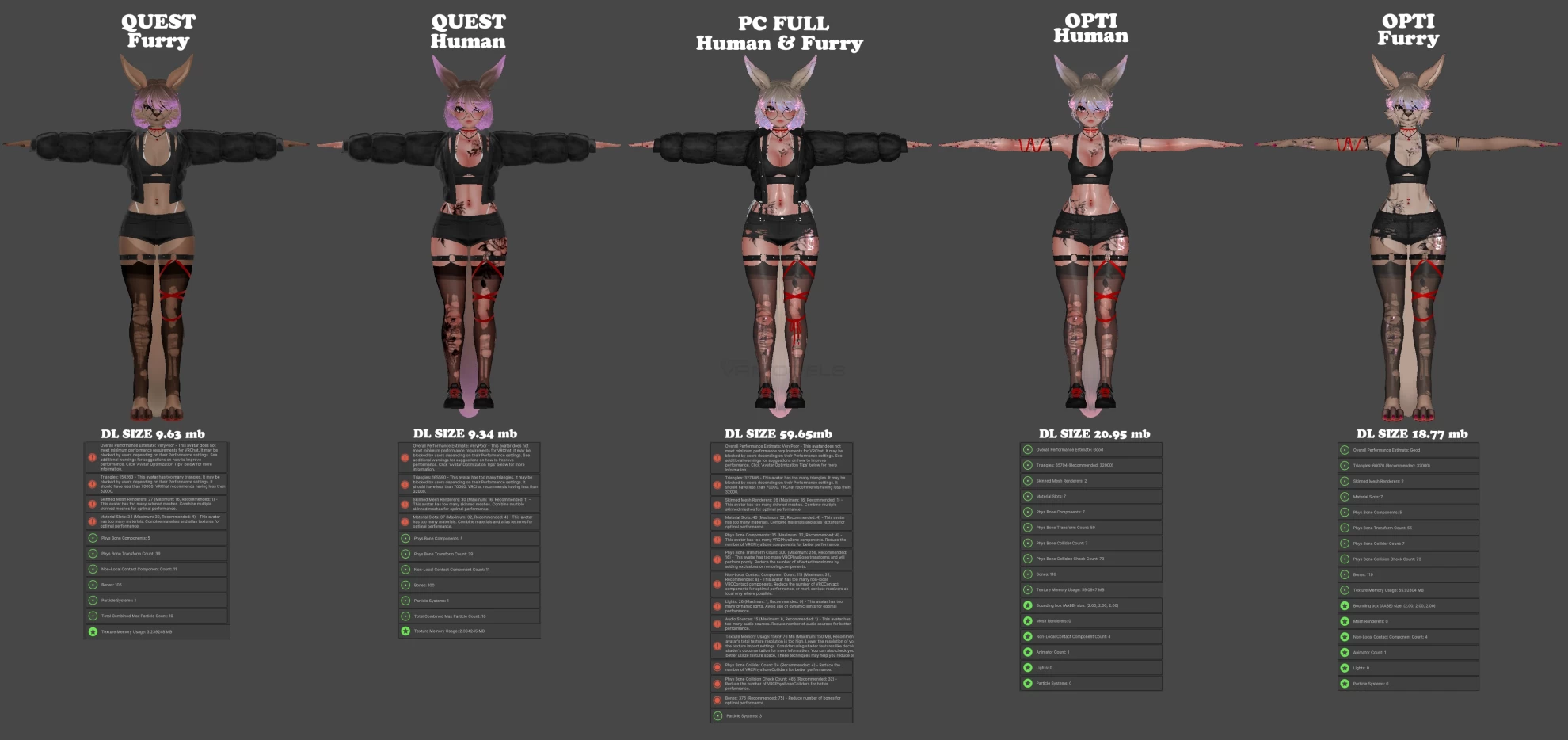
QUEST VERSIONS:
Due to Quest limitations, you can only upload either Human or Furry on quest, so you will need to pick which you want to be displayed as to PC and other quest users.
Additionally, due to the amount of hue changes, the quest version does not have any hue changes outside of; Hair Hue, Hair Emission Hue, Skintone, Left Eye Hue, Right Eye Hue. Unity Quest Materials are set up in a way that is meant to be easy to modify. Contact me if you need help.
Custom Presets:
3 Save, Load, Clear Slots - Used to make custom looks, outfits, hues, themes. Do NOT use VRChats reset to default if you want to use these, it will reset your custom saves.
Reset Base Avatar - Resets the avatar to the default look.
Hair:
3 Bang Styles- Side, Front, Straight
3 Hair Styles - Short, Bun, Bun + Lon
Hair Hues - Hair Hue, Hair Emission Hue
Clothing:
Closet Presets - Casual, Warm, Athletic, Cozy, Bikini
4 Tops - Gym Top, Tied Shirt, Sweater, Jacket, Jacket Hood, Hood Pull Gimmick (PC ONLY, turn off on quest)
5 Bottoms, Ripped Shorts, Gym Shorts, Jeans, Leg Ribbon, Socks
3 Shoes - Flip Flops, Sneakers, Boots
11 Accessories - Glasses, Metal Choker, Ribbon Choker, Chest Piercings, Arm Ribbon, Finger Rings, Belly Piercing, Toe Rings, Rope, Fanny Pack, Fairy Bread Gimmick, Boxing Gloves
3 Under clothes
Customisation:
Eyes - Left Eye Hue, Right Eye Hue, Black Sclera
Human - Elf Ears (Human ONLY), Fangs (Human ONLY), Skintone (Human ONLY)
Animal - Kangaroo Ears, Kangaroo Tail, Small Fluff (Furry ONLY)
Shape & More - Chest Size, Thickness, Booty, Bulge
Settings - Head Contacts, Gesture Faces Disable
Other:
Gogo Loco
Avatar Limb Scallng
Quest Phys Bones: Long Hair, Ears, Tail, Chest
REQUIRED:
Unity 2022.3.22
Vrchat Creator Companion
Poiyomi Toon 9.2+
VRCFury
Modular Avatar
If you do not add the requirements, it will break~!
Installation:
1. Using the Vrchat Creator Companion, add in Poiyomi Toon 9.2+ , VRCFury and Modular Avatar.
2. Once they have finished importing, add in the avatar unity package.
3. (OPTIONAL) I highly recommend locking all materials before uploading. Right click the RUE folder and select Thry > Materials > Lock Folder. This is also required to test toggles in unity.
4. Open the provided scene and upload the desired avatar.
