Home » Avatars » tisha & sacha

Model info

Content type:Avatars
Сreated by: kaiylast
SDK: 3.0 (VRChat)
Unity version: Unity 2022
Platform: PC+ Opti + Quest
Рhysbones: Yes
Face Tracking: Yes
Full body: Yes
Nsfw: Yes
DРS \ SPS : Yes
Views: 108 533
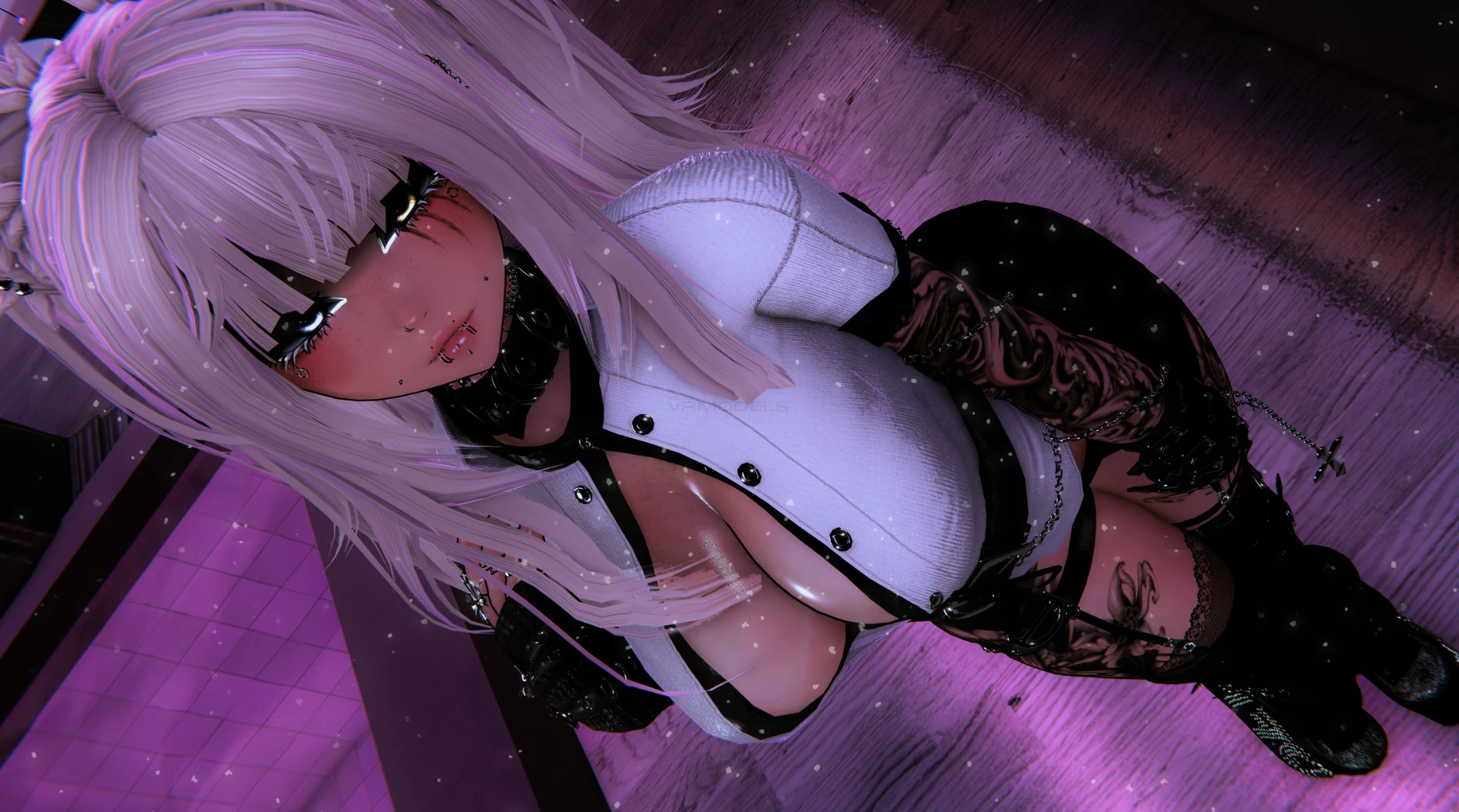
tisha & sacha

To download the model, you need to log in.

Description

sacha
Hue Shift (Clothes, Hair L&R, Hair Emission L&R, Eyes L&R, Tattoos)
Saturation (Clothes, Hair L&R, Hair Emission L&R, Eyes L&R, Tattoos)
Brightness (Hair L&R)
Black/White Swap (Clothes, Accs, Hair Tips)
Skin Color
Skin Saturation
Emission Strength (Hair)
Avatar Lightning Adjustement : Light Multiplier, Grayscale Lightning and Minimum Brightness Radials
Toggles
12 Tops
2 Jackets
9 Bottoms
5 Shoes
1 Onesie
40+ Accessories
Multiple Hair Options
So Much Face Customization
Extras (Friendship Bracelet, Gogo...)

Tisha
Hue Shift (Clothes, Hair L&R, Hair Emission L&R, Eyes L&R, Tattoos)
Saturation (Clothes, Hair L&R, Hair Emission L&R, Eyes L&R, Tattoos)
Brightness (Hair L&R)
Black/White Swap (Clothes, Accs, Hair Tips)
Skin Color
Skin Saturation
Emission Strength (Hair)
Avatar Lightning Adjustement : Light Multiplier, Grayscale Lightning and Minimum Brightness Radials
Toggles
11 Tops
2 Jackets
9 Bottoms
5 Shoes
3 Bodysuits
40+ Accessories
Multiple Hair Options
Cute Skin Fang (Yaeba)
So Much Face Customization
Extras (Friendship Bracelet, Gogo...)
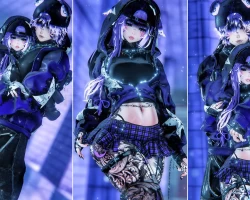
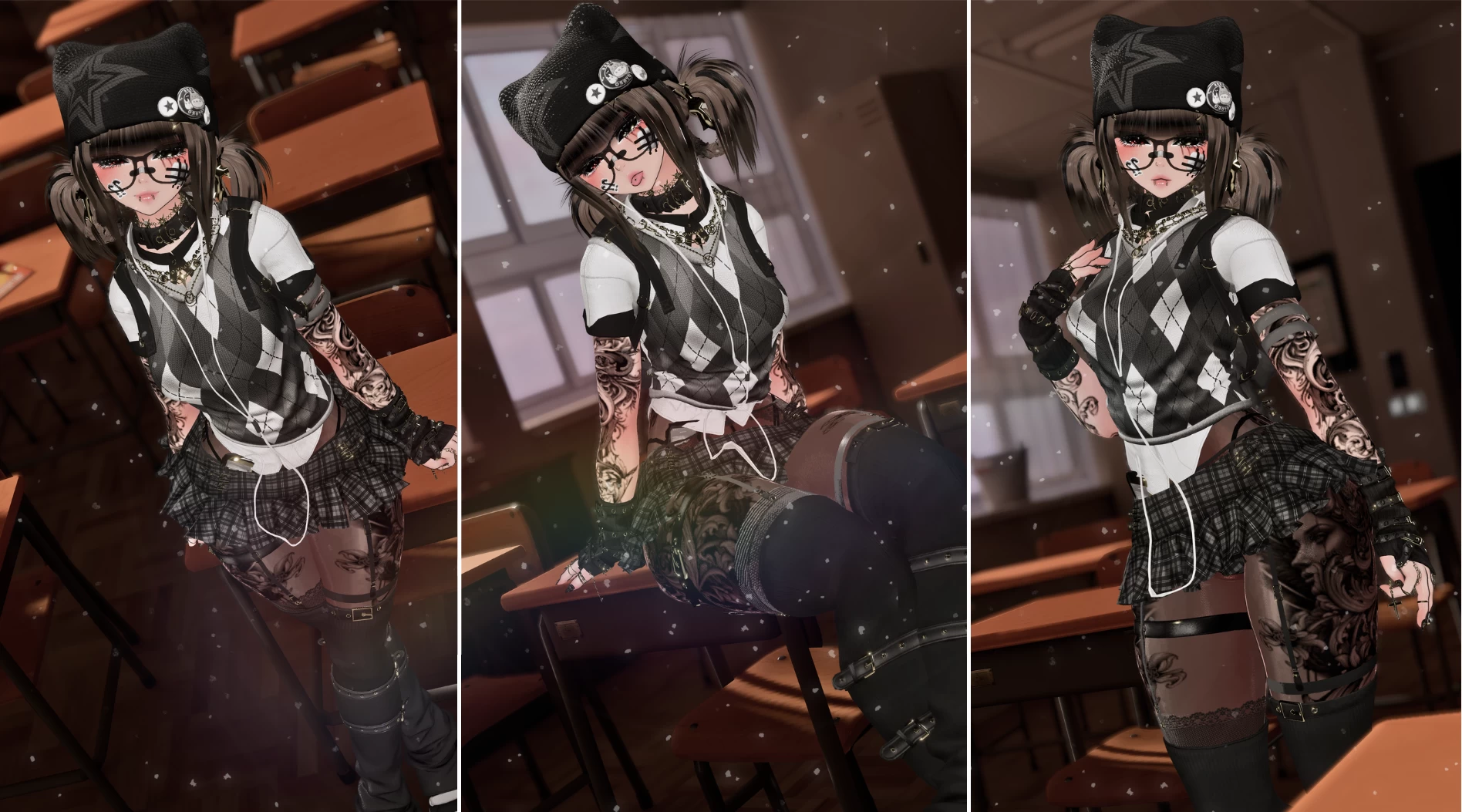
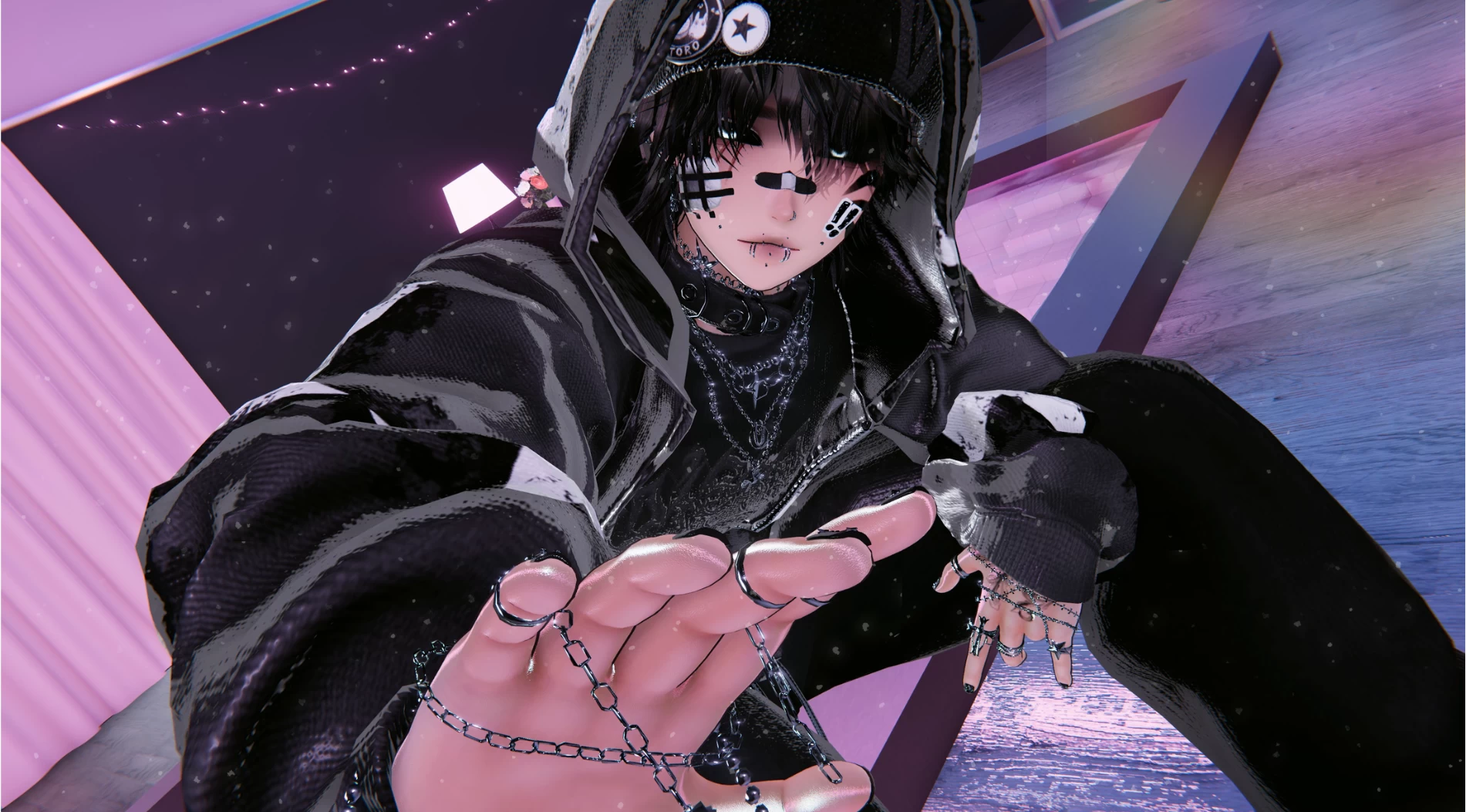
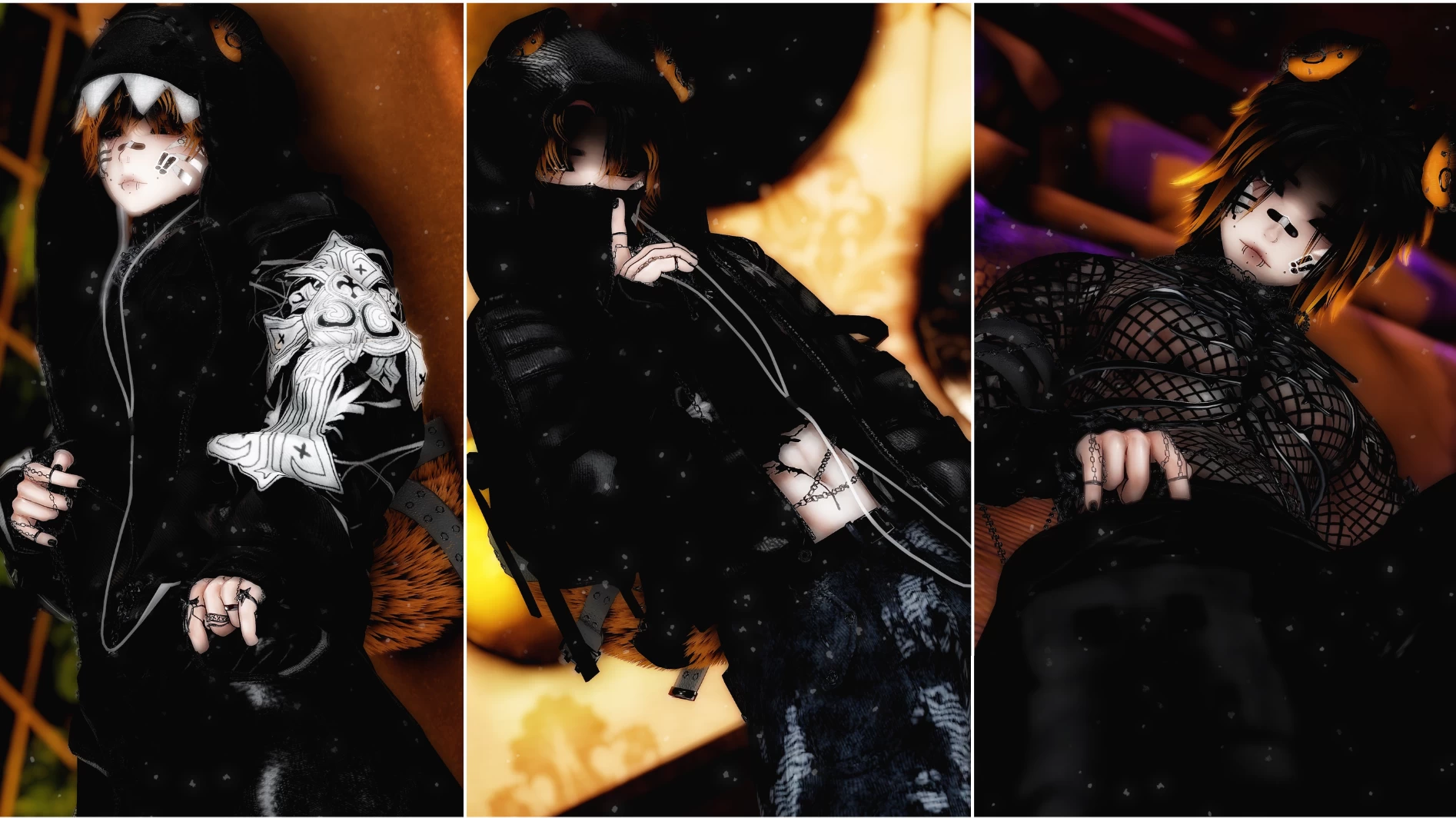
Screenshots of model tisha & sacha in the game
Comments: 54
Add comment

Information

To add your comment you need to log in.

  • foto
    eclipse2323215 #54
    0
    can someone upload them for me quest compatible? idk how to. my discord is who1sbro0k
    12 June 2026 09:52
  • foto
    wsaasaaaaaaa #53
    0
    Shelby Dorrell, unity and vcc
    12 June 2026 02:06
  • foto
    clasch gams 380 #52
    0
    could some1 upload it just not on pixeldrain tyyy
    4 June 2026 09:35
  • foto
    Shelby Dorrell #51
    0
    can i see if a friend can bye$ the file for both avatars so they can be public and make them quest and pc and how much are they if my friend can bye them

    and if not what the name of the app i need to download to upload them?
    3 June 2026 13:59
  • foto
    Saya02 #50
    0
    can someone upload for me im new to this and dont want to mess it up in anyway

    Saya02, it would be for tisha
    27 May 2026 23:27
  • foto
    slitzero #49
    0
    How do you fix the small brim on the cap?
    26 May 2026 16:27
  • foto
    bayoubabe91 #48
    0
    it says something about Shader warning in 'Hidden/Locked/.poiyomi/Poiyomi Toon/9e0585d93b4ef5d49aefc1456a75b328': floating point division by zero at line 8762 (on d3d11)
    26 May 2026 11:43
  • foto
    StarLight4 #47
    0
    please never use pixeldrain ever again
    23 May 2026 22:14
  • foto
    Klara Anime #46
    0
    ich hab probleme beim importieren der datei in Unity
    22 May 2026 04:33
  • foto
    Lizard009 #45
    +10
    DeathEater506, for both avis,
    vrc furry
    modler avatar
    poiyomi toon shader
    gesture manager
    Av3Emulator
    avatars 3.0 manager
    avatar compressor

    side note! be sure to import Avatar compressor so you dont get any errors when uploading. hope this helps

    ALSOOOOOO delete gogo im pretty sure because it has the missing prefab for it.

    kyoko, for both avis,
    vrc furry
    modler avatar
    poiyomi toon shader
    gesture manager
    Av3Emulator
    avatars 3.0 manager
    avatar compressor

    i believe this also goes for quest, if unsure look at the creators website as she has upload instructions!
    19 May 2026 09:45
  • foto
    DeathEater506 #44
    0

    Can someone help me?
    15 May 2026 23:23
  • foto
    kyoko #43
    How does one upload the Quest version? Doesnt seem to be able to optimize it at all
    15 May 2026 01:40
  • foto
    spagggabbabao #42
    0
    optimised download dosent work :(
    11 May 2026 08:14
  • foto
    melody_2k #41
    +2
    shout out to the comment section u guys really helped me upload both PC&Quest versions!! for my first upload ever the comments and youtube helped a lot u have no ideaa.
    6 May 2026 19:20
  • foto
    xccbot #40
    -2
    any idea why my avatar compressor wont install?
    3 May 2026 22:01
  • foto
    Lizard009 #39
    0
    ***comment deleted***
    3 May 2026 20:33
  • foto
    xccbot #38
    0
    can some1 help me get pc version link is broken
    3 May 2026 20:07
  • foto
    OniRom #37
    0
    having trouble figuring out getting the mouth to move. under the LipSync mode its set automatically to Default. the auto dettect button sets it to "jaw flap blend shape" on the face mesh of Acc Body - Arm Warmers.
    The options i can pick between are
    Jaw flap Bone (cant find a transform that looks like would work there)
    Jaw flap Blend Shape (same transform menu, cant find a fitting option)
    Viseme Blend Shape (as far as im aware this is what people normally use, but i dont see what to set it to in the transform menu)
    and lastly Viseme parameter Only (no dropdown menu)
    25 April 2026 10:29
  • foto
    SikeE #36
    0
    Sacha has an issue where the cap brim is smaller than the cap itself and I cannot find a way to fix it
    24 April 2026 08:10
  • foto
    Oreioo_ #35
    0
    Jooords, im new to uploading and it wont let me upload the pc version and idk how to fix it! is there any way you could let me clone it?
    20 April 2026 09:46
  • foto
    Jooords #34
    0
    pandasharks, You are actually a genius for that. Why I didnt think to delete the thing since it wont be used LMAO.
    19 April 2026 14:09
  • foto
    pandasharks #33
    -6
    Jooords, just delete the gogo loco stuff worked for me
    18 April 2026 18:59
  • foto
    Jooords #32
    0
    Managed to get the PC version of Tisha uploaded after taking guidance from the comments. However, the quest counterpart is just too big no matter what I do. I remove all assets apart from what quest users will see her wearing but I can not get the file size to 10.

    Any suggestions greatly appreciated! 🙏

    Managed to get the PC version of Tisha uploaded after taking guidance from the comments. However, the quest counterpart is just too big no matter what I do. I remove all assets apart from what quest users will see her wearing but I can not get the file size to 10.

    Any suggestions greatly appreciated! 🙏
    18 April 2026 12:38
  • foto
    KJ Redacted #31
    0
    This avi is over double what is listed on the original payhip for stats... Not only that but its missing 3 scripts, Ill grab this from RS and not have any issues ty
    18 April 2026 09:39
  • foto
    ThYTXX #30
    0
    Shy monster, tap on the avatar and scroll down and delete the "missing scripts"

    賢い, just set the resolution ot the textures lower(not the poiyomi shader textures)
    18 April 2026 01:43
  • foto
    Shy monster #29
    +2
    it wont let me upload keeps saying error while saving prefab
    17 April 2026 19:06
  • foto
    KuroVX #28
    0
    Okey i managed to get it open but the quest version is almost 11mb in size, why?
    16 April 2026 16:43
  • foto
    KuroVX #27
    0
    I imported whats been told before and it gives me error to run in safe mod when trying to open the project (the avatar is not there just vcc stuff)

    The project you are opening contains compilation errors.

    Entering Safe Mode allows you to resolve these errors without waiting for the rest of your project to import.

    If you select Ignore (not recommended), your project will continue to import, but it may be in a broken or unusable state.
    16 April 2026 15:45
  • foto
    Jekks #26
    0
    anyone having issue where all the toggles labeled PC wont turn on?
    15 April 2026 21:40
  • foto
    AngelicArt #25
    0
    beluuughhh, All I do is no matter what avi requires in poiyomi or not, i used the version before anything became compromised, so read the last valid version, i be using 9.3.64 might not be latest but late enough for most avis that i upload :)
    15 April 2026 19:55
  • foto
    beluuughhh #24
    0
    is it safe to download especially with the poi hacker ?
    15 April 2026 14:22
  • foto
    novamao #23
    +3
    Etheria-x, Add https://vpm.limitex.dev/ to vcc. It's the "avatar Compressor" thats needed. It compresses the textures so that it can be uploaded. Beyond that I'd just use something like Thry's tools to optimize the texture sizes if any are large.
    15 April 2026 06:19
  • foto
    Etheria-x #22
    +1
    yeah its too big to upload which compressor file do i need i have d4rkopti im a little lost where im going wrong thanks novamao,
    15 April 2026 02:55
  • foto
    賢い #21
    0
    deltora92, They're both over VR Chat's texture limit. How are you guys uploading? Did I install the wrong versions? I don't like the opti versions.
    15 April 2026 01:54
  • foto
    Fluffy Nuggets #20
    +1
    UmeBee, you gotta add ur own eye shaders i did that myself
    14 April 2026 17:50
  • foto
    UmeBee #19
    i did the upload instructions right and Sacha uploaded fine but for Tisha shes missing her eye mats and when i try to put them in the eyes just turn blue and red
    14 April 2026 11:29
  • foto
    Crymhex #18
    Bloodveil, if it's just white and blank, then just delete the cookies and then it should work again. That worked for me.
    14 April 2026 10:58
  • foto
    Bloodveil #17
    -2
    Any chance of putting the DL on another site? Pixeldrain is having issues with the download and it's not downloading for me anime9
    14 April 2026 06:52
  • foto
    novamao #16
    +1
    Upload it normally. Just be sure that you have the compressor in your project as well. Someone sent the vpm link for vcc below. Youll need to have the D4rk optimizer and the avatar compressor for anything to actually upload. Otherwise the size goes over the maximum, for me at least.
    14 April 2026 03:21
  • foto
    BunzinBear #15
    0
    EchoEclipse, just reload the vrc sdk thing
    13 April 2026 22:54
  • foto
    EchoEclipse #14
    0
    deltora92, avatar disabled in the hierarchy
    13 April 2026 20:11
  • foto
    deltora92 #13
    Create a project with CreatorCompanion (Unity 2022.3.22f1)
    Import VRC Fury (ver 1.1295.0)
    Import Last Poiyomi version
    Import last version of the Non-Destructive Modular Framework
    Import last version of the Avatar Optimizer and of the Avatar Texture Compressor
    Import the Avatar Package
    Upload !
    13 April 2026 13:49
  • foto
    Kitchoury #12
    +1
    Et dire que je les payer... et qu'il avait des imperfection lors de l'achat...
    13 April 2026 09:22
  • foto
    AquaBats #11
    +5
    i cant upload it, its too big
    13 April 2026 04:02
  • foto
    Nyaguro7 #10
    0
    can someone help me its keep said my clone is broken i want too remove it but there is nothing, or i have other problems with that avi idk. ?
    13 April 2026 01:44
  • foto
    terrify #9
    +2
    KatzincAftonPlays, did exactly that, but whenever i click on the + symbol to add the package to my project, it fails to load, giving me an error about ''internet connection'' when my connection is fine, apparently theres a 0.8 version out instead of the 0.7 but i cant manage to find it anywhere.
    13 April 2026 00:39
  • foto
    KatzincAftonPlays #8
    0
    terrify, Have you when to packages and added from there?

    If not, then follow these steps
    1. Open VCC
    2. open settings
    3. go to packages
    4. Then look for "Add Repository"
    5. Paste in the link package, and the go from there.

    There you go I hope it helps.
    13 April 2026 00:29
  • foto
    terrify #7
    +1
    NosfDUCKtu, keeps failing to add package to project
    13 April 2026 00:10
  • foto
    NosfDUCKtu #6
    +1
    JustJayBearr, add https://vpm.limitex.dev/ to vcc
    12 April 2026 23:50
  • foto
    JustJayBearr #5
    +4
    spiderlillysxo, where do i get avatar compressor?
    12 April 2026 23:03
  • foto
    terrify #4
    0
    sorry but what is modler avatar?spiderlillysxo,
    12 April 2026 22:21
  • foto
    Lizard009 #3
    0
    spiderlillysxo, yes exactly! thank u ml!
    12 April 2026 22:01
  • foto
    spiderlillysxo #2
    +3
    Acinality, for both avis,
    vrc furry
    modler avatar
    poiyomi toon shader
    gesture manager
    Av3Emulator
    avatars 3.0 manager
    avatar compressor

    side note! be sure to import Avatar compressor so you dont get any errors when uploading. hope this helps
    12 April 2026 20:24
  • foto
    Acinality #1
    +3
    What all plug ins do i need for this?
    12 April 2026 18:19