Home » Avatars » [WRATH] NO_001 // [MOON] "The Rogue Agent" (PC, FT)

Model info

Content type:Avatars
Сreated by: Eight_os
SDK: 3.0 (VRChat)
Unity version: Unity 2022
Platform: PC
Рhysbones: Yes
Face Tracking: Yes
Full body: Yes
Nsfw: Yes
DРS \ SPS : Yes
Views: 31 871
[WRATH] NO_001 // [MOON] "The Rogue Agent" (PC, FT)

To download the model, you need to log in.

Description


DISCLAIMER: THIS AVATAR IS A LEGACY PRODUCT. DUE TO VRCHAT SDK UPDATES AND PACKAGE VERSION DISCREPANCIES, SUPPORT FOR THIS MODEL HAS BEEN CEASED. IT STILL CAN BE UPLOADED; YOU MAY JUST RUN INTO SOME ISSUES IN THE PROCESS.

ARKit Face/Eye tracking ready out of the box!!!

RE: Customization
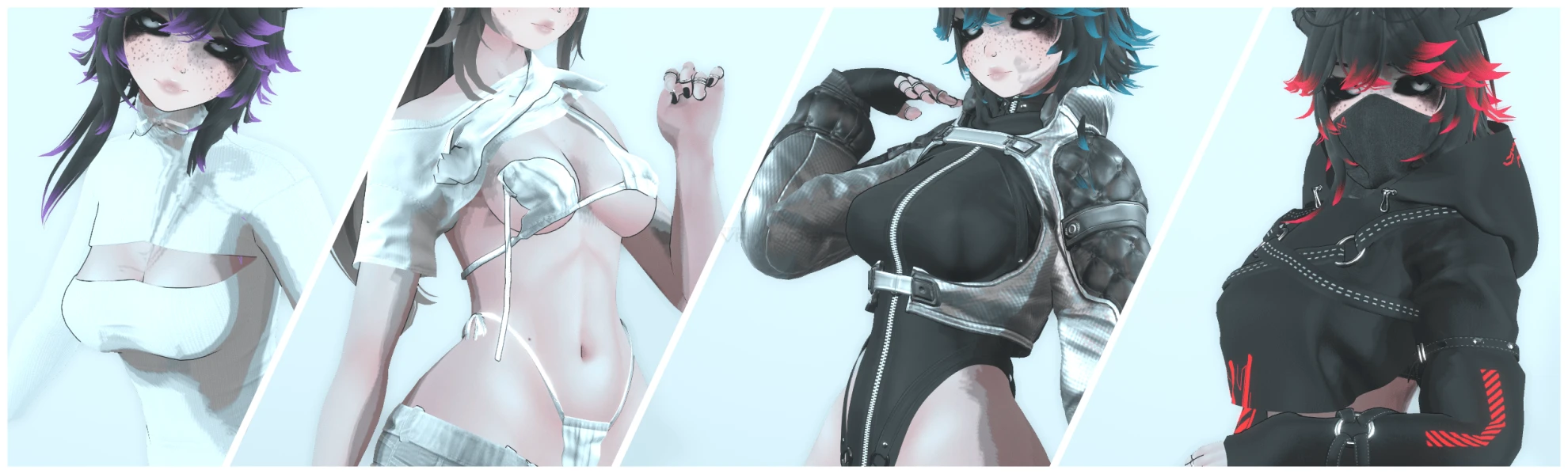
- 4 Outfits to mix and match! (with some restrictions lol)
- Hue Shift
EYES
OUTFIT
HAIR EMISSIONS
- Clothes Black to White (with a cool lil animation :3)

RE: Body Settings and VRCFury
- SPS
- PCS v1.8.0.2 (for uhhh... yeah)
- Skin Color Radial
- Lollipop v5

RE: Other
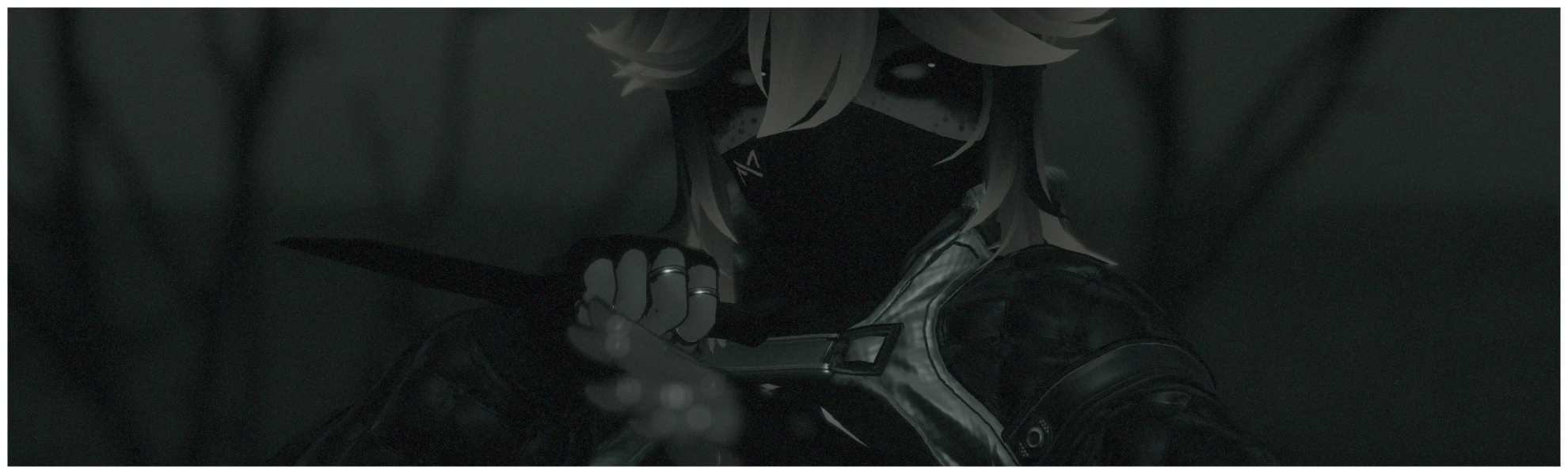
- Grabable Knife! (make sure gestures are on :3)
- Custom Sculpt: VRBase EGIRL: (ZinPia)
- Custom Breast Rig: (Lupinixx) (EIGHT Edit)
- Custom Gestures: (Sleepy, Angry, Wink, and more!)
- GoGo Locomotion: (For all the half-bodies/deskies out there <3)
- FBT Ready (duh)

RE: Uploading (Unity 2022.3.22f1)
1. Create a new avatar project using the VRC Creator Companion
2. PLEASE make sure it is up to date!
3. If you're using a face-tracking headset please install the "Jerry's FT Template"
4. Install VRCFury using the creator companion (The avi literally relies on it) (DISCLAIMER!!! Please use VRCFury 1.1143.0! The new Fury Update breaks some Fury based packages!
5. Open the newly created project!
6. Import Poi Toon 7.3.50_UpTo_9.0.60 (Included in the 001_MOON download file)
7. Import Crystal Shader (Included in the 001_MOON download file)
8. Import the 001_MOON Unity Package File
9. Open scene called: 001_MOON
10. Log into your VRC account in the VRCSDK splash menu and upload!
Screenshots of model [WRATH] NO_001 // [MOON] "The Rogue Agent" (PC, FT) in the game
Comments: 15
Add comment

Information

To add your comment you need to log in.

  • foto
    Asunacracotte #15
    0
    rugbee, Try to remove the gogoloco ^^
    17 August 2026 22:23
  • foto
    rugbee #14
    uploading doesn't work
    17 August 2026 15:20
  • foto
    GAMIR_3DH #13
    +1
    sanoraa, It worked, many thanks!
    7 August 2026 16:31
  • foto
    Ian Harrison (cheese man) #12
    +2
    thank you very much
    6 August 2026 06:42
  • foto
    Asunacracotte #11
    0
    Ian Harrison (cheese man), Fixed ;)
    6 August 2026 06:24
  • foto
    Ian Harrison (cheese man) #10
    +1
    drive need us to request access gotta make it public
    6 August 2026 05:34
  • foto
    gunber1goober #9
    -1
    Quote: GAMIR_3DH
    Koishi, You figured it out but not explaining how? Thanks.

    t "just add gogo loco to the project"
    6 August 2026 01:52
  • foto
    sanoraa #8
    +1
    where it says gogoloco on those things, press the x next to it, and it should fix it.
    5 August 2026 19:39
  • foto
    sanoraa #7
    +1
    GAMIR_3DH, I'm not great at explaining, but where on the side where it says gesture and like TPose, get those to not be gogoloco things. press the x so it's the base thing. or whatever it says i cant remember. it worked for me
    5 August 2026 18:38
  • foto
    GAMIR_3DH #6
    0
    Koishi, You figured it out but not explaining how? Thanks.
    5 August 2026 16:43
  • foto
    Koishi #5
    0
    how does one fix this?

    Koishi, nevermind i figured it out
    5 August 2026 15:43
  • foto
    urstepmom #4
    +1
    Yeah, MEGA is not the way to go for such massive file sizes.
    5 August 2026 15:10
  • foto
    Asunacracotte #3
    0
    Ian Harrison (cheese man), Np, I do it rn !
    5 August 2026 11:08
  • foto
    DarkSpyro #2
    +2
    yeaaaah no mega isn't great, if you could put it on something else that would be great. Also not paying for a transfer quota lol
    5 August 2026 11:08
  • foto
    Ian Harrison (cheese man) #1
    +1
    please fix the mega link that site is so aids
    5 August 2026 08:40