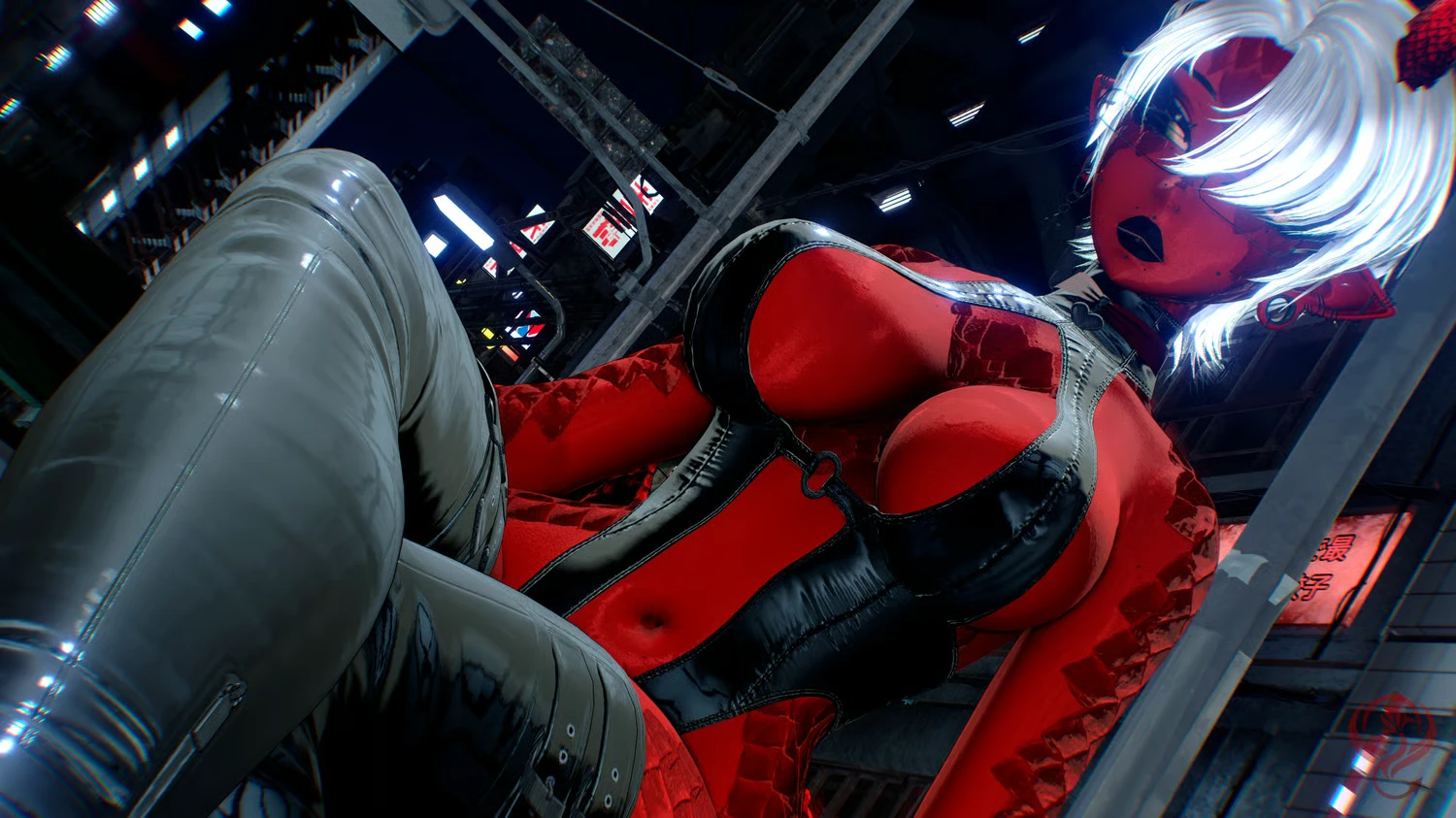
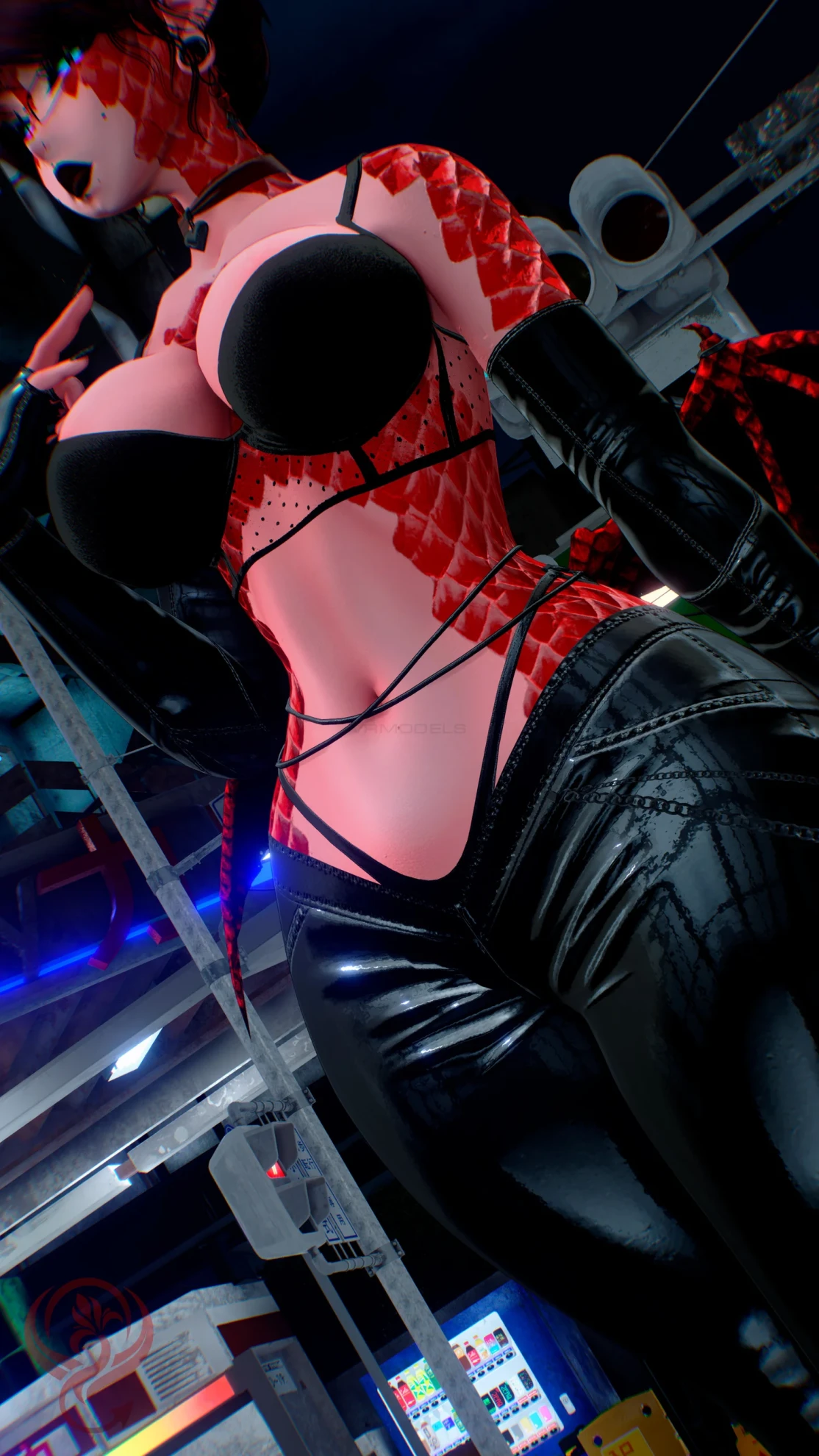
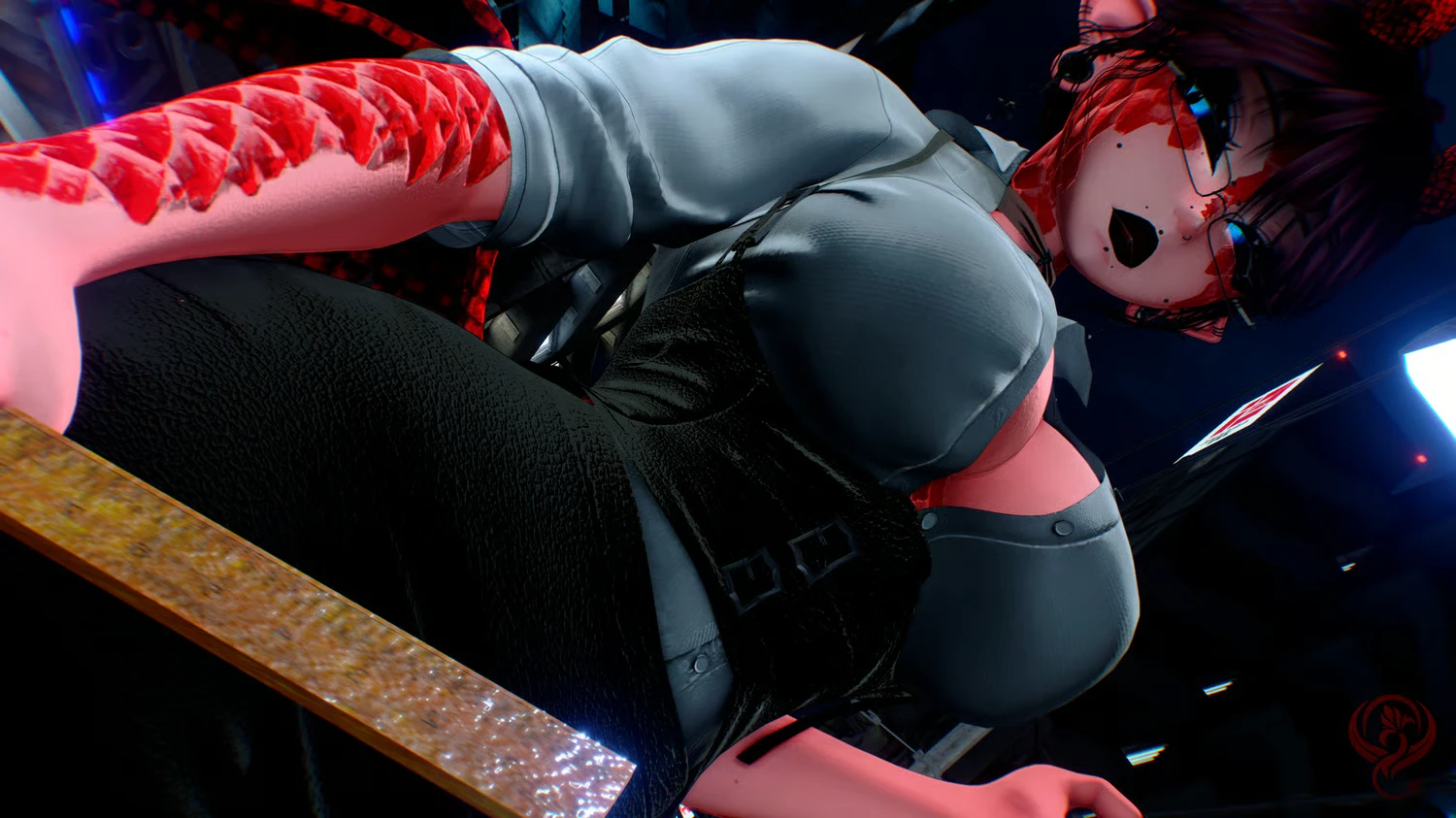
Model info
Content type:Avatars
Сreated by: sukhavr
SDK: 3.0 (VRChat)
Unity version: Unity 2022
Platform:
PC
Рhysbones: Yes
Face Tracking: Yes
Full body: Yes
Nsfw: Yes
DРS \ SPS : Yes
Views: 39 035
Aghata
To download the model, you need to log in.
Description
˗ˏˋ Toggles ´ˎ˗
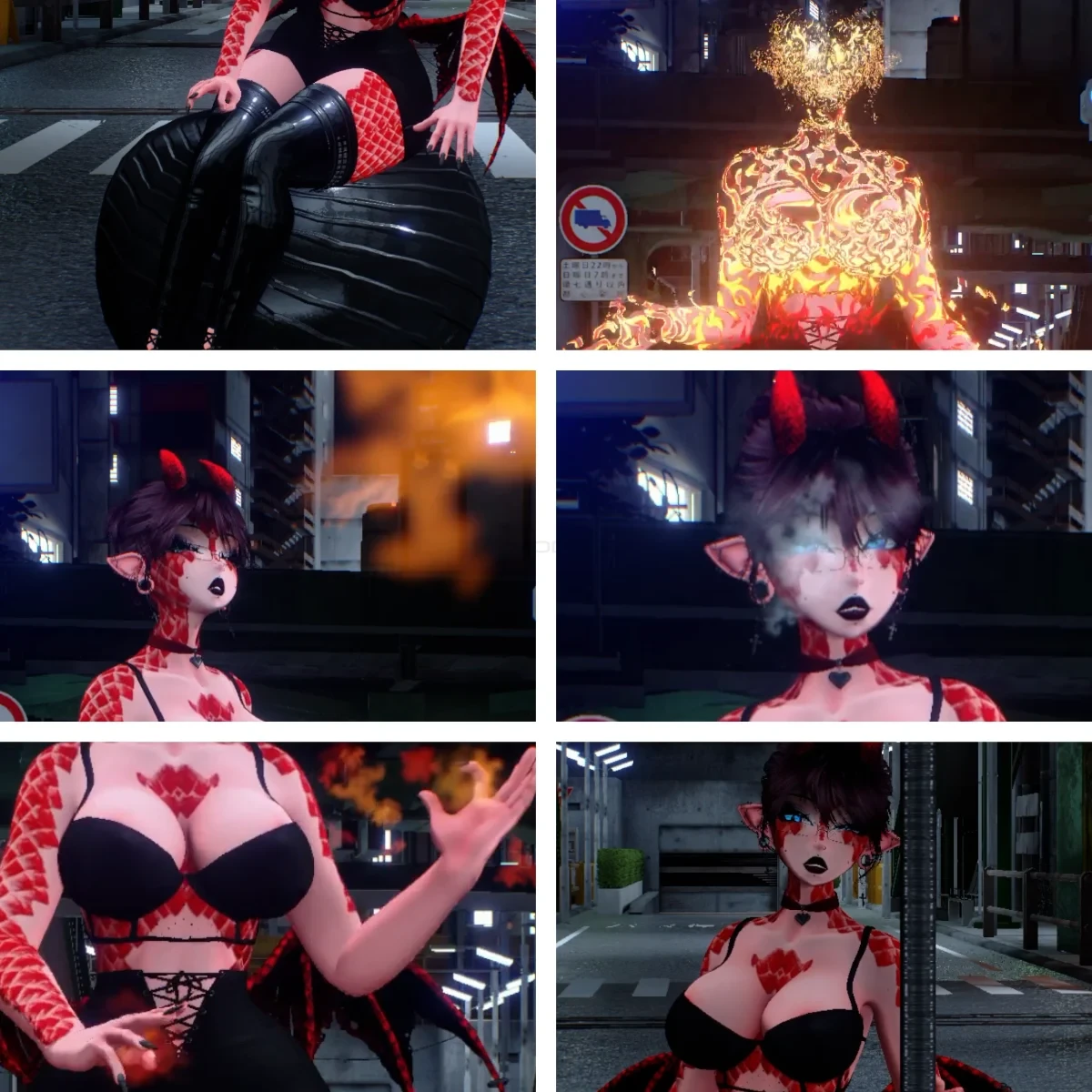
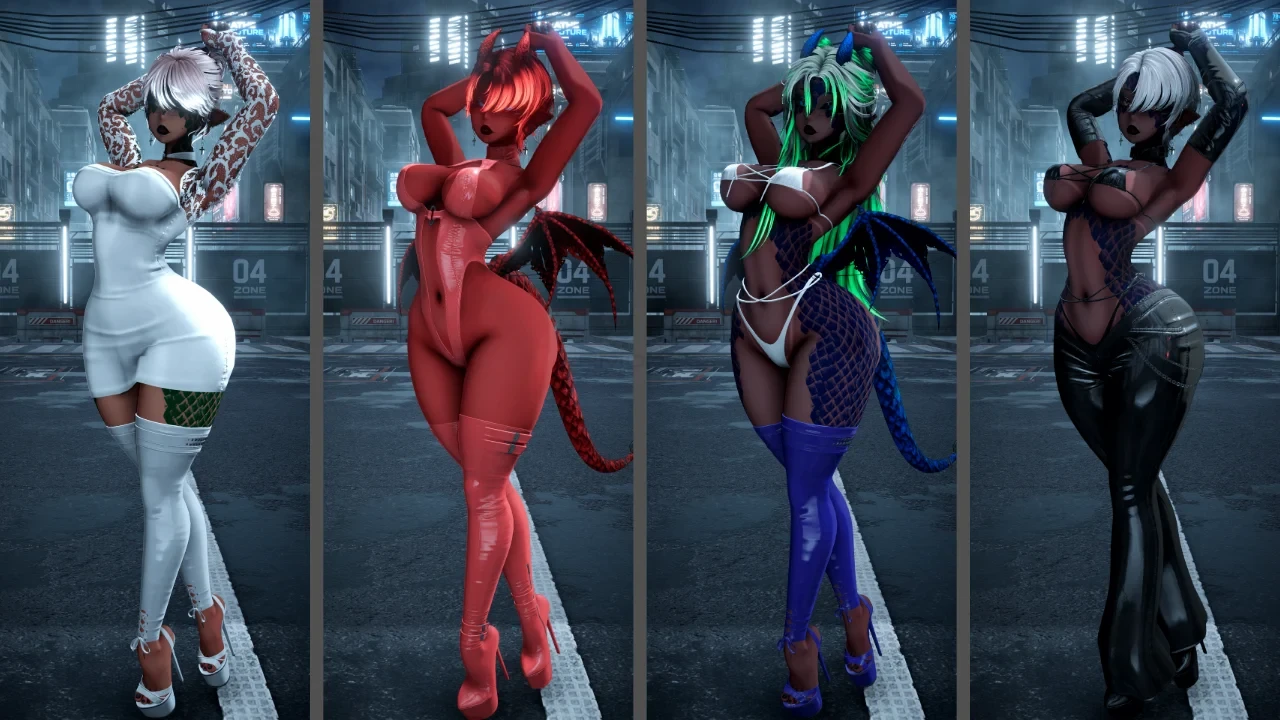
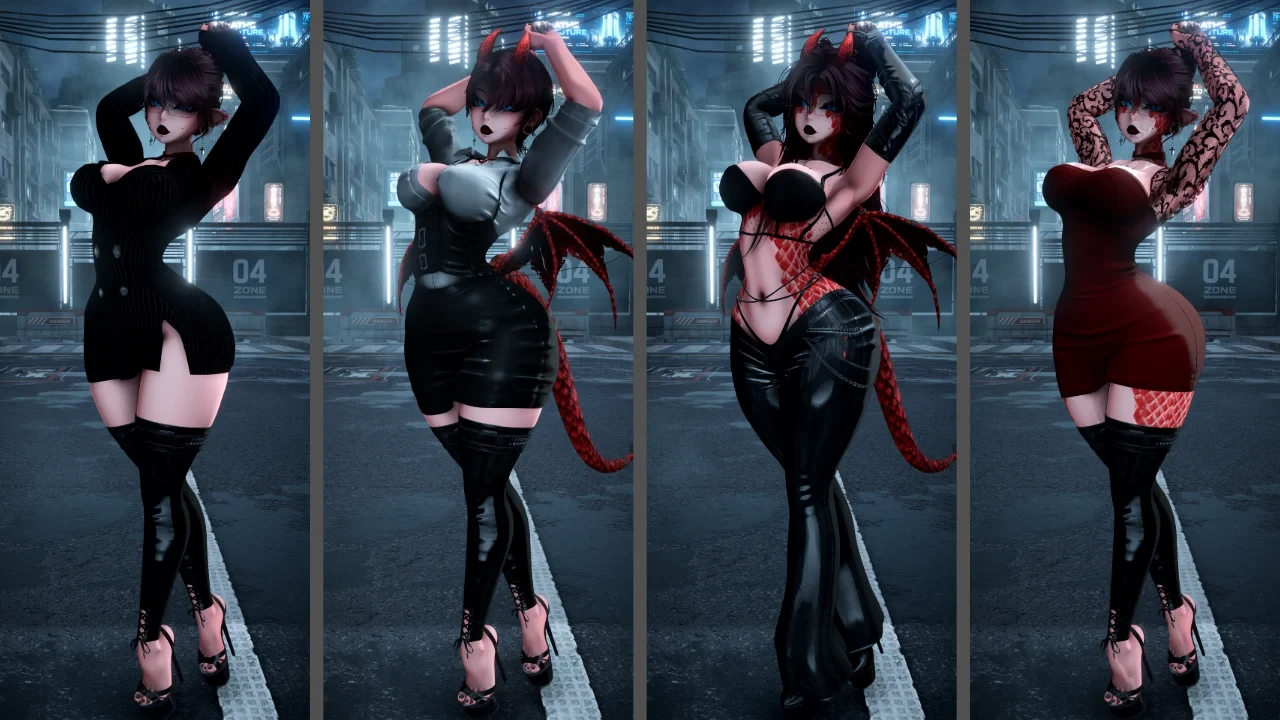
☆ Clothes ☆
Tops: Bikini Top / Top /
Lowers: Pants / Skirt / Bikini
Middles: Blazzer Dress / Fancy Dress / Officine Dress / Latex Bodysuit
Shoes: Heels / Second pair of Heels
☆ Accessories ☆
Glasses / Elf Ears / Piercings / Choker (2types) / Earrings / Gloves (2 types)
☆ Animal Parts ☆
Dragon Tail / Wings / Horns
☆ Hairs☆
Long Hair
Short Hair
Cute Bun
☆ Hues and colours☆
Light Adjusts + Grayscales + Ao toggle + Shadows Toggle
Hair Colours + Hair emission toggle + Hair Hue + Hair tips + Hair Tips hue
Wet Skin + Dragon Form / hue + Skin Swaps + Eyes Hue + Scelar Toggle + Body gamma + Demon Skin / hue + Tan Lines
Clothes hue + saturation + Colours + Patterns
☆ Fun☆
Dissolve
Fire Breath + Breath + Fire Arms
Yoga Ball Seat
Pole Toggle World
Rule / Papers to have fun
Contacts
˗ˏˋ How to upload ´ˎ˗
☆ What do you need ? ☆
Avatar Creator Companion (CC) and VRCFURY
Poyomi (You can use poyomi pro or poyomi toon but i used the latests poyommi pro for this avatar (go here poiyomi )
This avatar DOESN'T INCLUDE SPS OR DPS!
VRCFT - Jerry's Templates it's a MUST if you want face tracking! YOU CAN FIND THE ADDON HERE
Avatar Gesture Manager ( if you want to test it in unity)
☆ Step by step ☆
-PC Version-
Open a NEW project in your CREATOR COMPANION and use the AVATAR UNITY 2022 AVATAR PROJECT
In to the manager add:
- Gesture Manager (to test the avi in unity)
- Av3Emulator (to test the avi in unity)
-Avatar 3.0 Manager (to test the avi in unity)
- VRCFT - Jerry's Templates
-VRCFURY
- Poyomi
Open the project and wait for it to load fully (yes, it could take a time) and add the poyomi shaders you want to use. Please add the poyomi shader to your ACC from here ---> poiyomi
Import the avatar package and click the open me!
!PLEASE MAKE SURE THAT YOU HAVE THE PREFAB OF THR VRCFACETRACKING I ADDED IN THE 3.0 FOLDER!! (i adjusted the eye rotation only so don't worry for the ones that work with the prefabs)
Open the tab of the vrchat SDK and LOG IN
!MAKE SURE THE BLUEPRINT OF THE AVATAR BEFORE UPLOAD IS CLEAR!
Click UPLOAD and you have it!
-QUEST Version-
Open a NEW project in your CREATOR COMPANION and use the AVATAR UNITY 2022 AVATAR PROJECT
In to the manager add:
- Gesture Manager (to test the avi in unity)
- Av3Emulator (to test the avi in unity)
-Avatar 3.0 Manager (to test the avi in unity)
- VRCFT - Jerry's Templates
-VRCFURY
NO SHADERS NEEDED (quest doesn't suport poyomi)
Import the avatar package and click the open me!
!PLEASE MAKE SURE THAT YOU HAVE TH PREFAB OF TH EVRCFACETRACKING I ADDED IN THE 3.0 FOLDER!! (i adjusted the eye rotation only so don't worry for the ones that work with the prefabs)
Open the tab of the vrchat SDK and LOG IN
GO TO THE CONTENT MANAGER TAB AND COPY AND PASTE IN THE BLUEPRINT OF THE QUETS AVI THE BLUEPRINT ID OF THE PC ONE SO IT CAN SYNC AND MATCH
Click UPLOAD and you have it!
☆ Clothes ☆
Tops: Bikini Top / Top /
Lowers: Pants / Skirt / Bikini
Middles: Blazzer Dress / Fancy Dress / Officine Dress / Latex Bodysuit
Shoes: Heels / Second pair of Heels
☆ Accessories ☆
Glasses / Elf Ears / Piercings / Choker (2types) / Earrings / Gloves (2 types)
☆ Animal Parts ☆
Dragon Tail / Wings / Horns
☆ Hairs☆
Long Hair
Short Hair
Cute Bun
☆ Hues and colours☆
Light Adjusts + Grayscales + Ao toggle + Shadows Toggle
Hair Colours + Hair emission toggle + Hair Hue + Hair tips + Hair Tips hue
Wet Skin + Dragon Form / hue + Skin Swaps + Eyes Hue + Scelar Toggle + Body gamma + Demon Skin / hue + Tan Lines
Clothes hue + saturation + Colours + Patterns
☆ Fun☆
Dissolve
Fire Breath + Breath + Fire Arms
Yoga Ball Seat
Pole Toggle World
Rule / Papers to have fun
Contacts
˗ˏˋ How to upload ´ˎ˗
☆ What do you need ? ☆
Avatar Creator Companion (CC) and VRCFURY
Poyomi (You can use poyomi pro or poyomi toon but i used the latests poyommi pro for this avatar (go here poiyomi )
This avatar DOESN'T INCLUDE SPS OR DPS!
VRCFT - Jerry's Templates it's a MUST if you want face tracking! YOU CAN FIND THE ADDON HERE
Avatar Gesture Manager ( if you want to test it in unity)
☆ Step by step ☆
-PC Version-
Open a NEW project in your CREATOR COMPANION and use the AVATAR UNITY 2022 AVATAR PROJECT
In to the manager add:
- Gesture Manager (to test the avi in unity)
- Av3Emulator (to test the avi in unity)
-Avatar 3.0 Manager (to test the avi in unity)
- VRCFT - Jerry's Templates
-VRCFURY
- Poyomi
Open the project and wait for it to load fully (yes, it could take a time) and add the poyomi shaders you want to use. Please add the poyomi shader to your ACC from here ---> poiyomi
Import the avatar package and click the open me!
!PLEASE MAKE SURE THAT YOU HAVE THE PREFAB OF THR VRCFACETRACKING I ADDED IN THE 3.0 FOLDER!! (i adjusted the eye rotation only so don't worry for the ones that work with the prefabs)
Open the tab of the vrchat SDK and LOG IN
!MAKE SURE THE BLUEPRINT OF THE AVATAR BEFORE UPLOAD IS CLEAR!
Click UPLOAD and you have it!
-QUEST Version-
Open a NEW project in your CREATOR COMPANION and use the AVATAR UNITY 2022 AVATAR PROJECT
In to the manager add:
- Gesture Manager (to test the avi in unity)
- Av3Emulator (to test the avi in unity)
-Avatar 3.0 Manager (to test the avi in unity)
- VRCFT - Jerry's Templates
-VRCFURY
NO SHADERS NEEDED (quest doesn't suport poyomi)
Import the avatar package and click the open me!
!PLEASE MAKE SURE THAT YOU HAVE TH PREFAB OF TH EVRCFACETRACKING I ADDED IN THE 3.0 FOLDER!! (i adjusted the eye rotation only so don't worry for the ones that work with the prefabs)
Open the tab of the vrchat SDK and LOG IN
GO TO THE CONTENT MANAGER TAB AND COPY AND PASTE IN THE BLUEPRINT OF THE QUETS AVI THE BLUEPRINT ID OF THE PC ONE SO IT CAN SYNC AND MATCH
Click UPLOAD and you have it!
