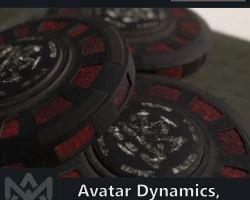


Landmine Pack w/ Avatar Dynamics for VRChat [Particle FX, Avatar Dynamics, Combat]
To download the model, you need to log in.
Description
Product Information
Bring your Roleplay to the next level with this Landmine Pack!
You can place up to three interactable Landmines anywhere you go! If someone steps on it, it'll go boom.
Maybe they'll find the defuse button if they're careful enough :D
Menu toggles / Features explained:
3 x Pack - place up to two Landmiens at once
World Constraint* - gesture driven: position it anywhere you want
Non-Interruptive - gesture driven: can be picked up with gestures to replace it somewhere else
Defuseable - anyone can defuse it (can be blocked via toggle)
Avatar Dynamics - will get triggered by Feet/Hands
Manual Detonation - individual or detonate all at once.
Optimized Prefab Option - Choose between an optimized prefab (1xLandmine) or the normal one (3xLandmines) to be installed on your avatar.
*Disclaimer: if the avatar reloads or someone joins in a later stage, the Landmine(s) won't be there anymore. It's not synced for late joiners.
The Package & Dependencies
+Installer Script & setup video included.
VRChat SDK 3.0 [Free]
Poiyomi Shader (8.0.385 or newer) [Free]
Mochie (1.29.1 or later) [Free]
Leviant ScreenSpace (latest) [Free]
Gesture Manager (v3.6 or later) [Optional] [Free]
Compatibility
NOT QUEST / ANDROID COMPATIBLE.
SDK 3.0
Projects with/without VRChat Creator Companion
KTEK Installer compatible
Technicalities
Write Defaults: ON/OFF compatible
Polygons: 3058 (each)
Materials: 1 (each)
Particle/Screenspace FX: 2 (each)
Total Materials: 3 (each)
Lights: 1 (each
Audio Components: 7
FX Layers: 2/4
Gesture Layers: 1
Animationstates (total): 25
Parameter Requirement (min/max): 24/31
Avatar Dynamic Components: 1 (each)
What is this KTEK Installer?
(Almost) every product comes with a selfmade installer script.
If you want to update the product to a newer version, you can simply import the updated version (don't overwrite the gesture animation if you have already customized it!), select the product you want to install and click on install.
That's all you have to do, when you previously installed it and wanted to update it.
(Note: easy update only works if you're not using a modified version of the already installed prefab!).
