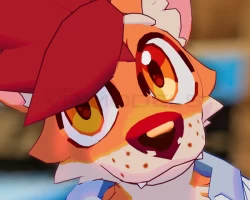

Renou Facetracking Addon
To download the model, you need to log in.
Description
Installation guide (Scroll down for a video tutorial)
Make sure to follow these steps in order, otherwise things WILL break.
Setup a Unity Project with the latest VRChat SDK, available in the Creator Companion
Import Renou, its dependencies, VRCFury, and the Blendshareaddon.
Have your Renou Prefab in the scene
Import the Face Tracking Addon
Open the "FT" Folder, click on "Renou_FT_Blend_share", and click "Apply Blendshapes" in the Inspector.
Drag and Drop the "VRCFury Face Tracking UE Blendshape Prefab" onto your Renou.
Replace the FX and Parameters on your Renou Prefab with the "FXFT" and "ParametersFT" found in the "FT" folder.
Also, please note you NEED to have installed the REQUIREMENTS BEFORE opening the Unity Package. Otherwise some things WILL break.
