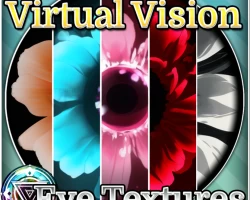


FLOWER EYES - Eye Textures for 3D Models
To download the model, you need to log in.
Description
What you receive:
Flower Themed Eye Textures
15 textures
PNG format
1024x1024px file size
Touched up AI illustrations
Installation:
Make sure the latest poiyomi shader is in your Avatar Project in Unity. You can get it here.
Import the .unity package into your Avatar package.
Navigate to your Eye Material on your avatars head and replace it with the Material provided that was just imported.
You're done! To see the Audiolink features in Unity, please download Audiolink into your Unity project through VRchat Creator Companion (VCC)
!! Circle eyes, Click>>here<
Flower Themed Eye Textures
15 textures
PNG format
1024x1024px file size
Touched up AI illustrations
Installation:
Make sure the latest poiyomi shader is in your Avatar Project in Unity. You can get it here.
Import the .unity package into your Avatar package.
Navigate to your Eye Material on your avatars head and replace it with the Material provided that was just imported.
You're done! To see the Audiolink features in Unity, please download Audiolink into your Unity project through VRchat Creator Companion (VCC)
!! Circle eyes, Click>>here<
